

Very useful plugin. Customer support is helpful and prompt too! :)
WordPress Plugins
WooCommerce Quick View Builder for Elementor Page Builder
In today’s fast-paced online shopping environment, customers want to find and view products quickly without unnecessary clicks or page reloads. A Quick View popup offers a convenient solution by allowing shoppers to instantly preview product details, such as images, prices, descriptions, and more, all within a pop-up window.
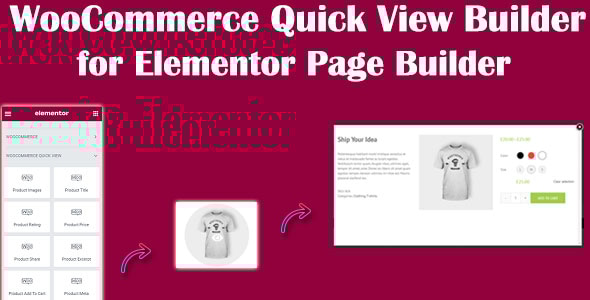
The WooCommerce Quick View Builder for Elementor Page Builder is a plugin designed to enhance the shopping experience by allowing users to view a product's details in a quick popup without needing to navigate away from the current page. This feature is especially useful for customers who want to quickly explore product information, prices, and variations without having to load the full product page.
WordPress Plugins
WooCommerce Quick View Builder for Elementor Page Builder
In today’s fast-paced online shopping environment, customers want to find and view products quickly without unnecessary clicks or page reloads. A Quick View popup offers a convenient solution by allowing shoppers to instantly preview product details, such as images, prices, descriptions, and more, all within a pop-up window.
The WooCommerce Quick View Builder for Elementor Page Builder is a plugin designed to enhance the shopping experience by allowing users to view a product's details in a quick popup without needing to navigate away from the current page. This feature is especially useful for customers who want to quickly explore product information, prices, and variations without having to load the full product page.
Disadvantages of Not Having a Quick View Popup on Your Website
Disadvantages of Not Having a Quick View Popup on Your Website
Why You Should Use the WooCommerce Quick View Plugin for Elementor Page Builder
Why You Should Use the WooCommerce Quick View Plugin for Elementor Page Builder
With WooCommerce Quick View Builder for Elementor Page Builder You Can
With WooCommerce Quick View Builder for Elementor Page Builder You Can
Choose what type and where to display the button
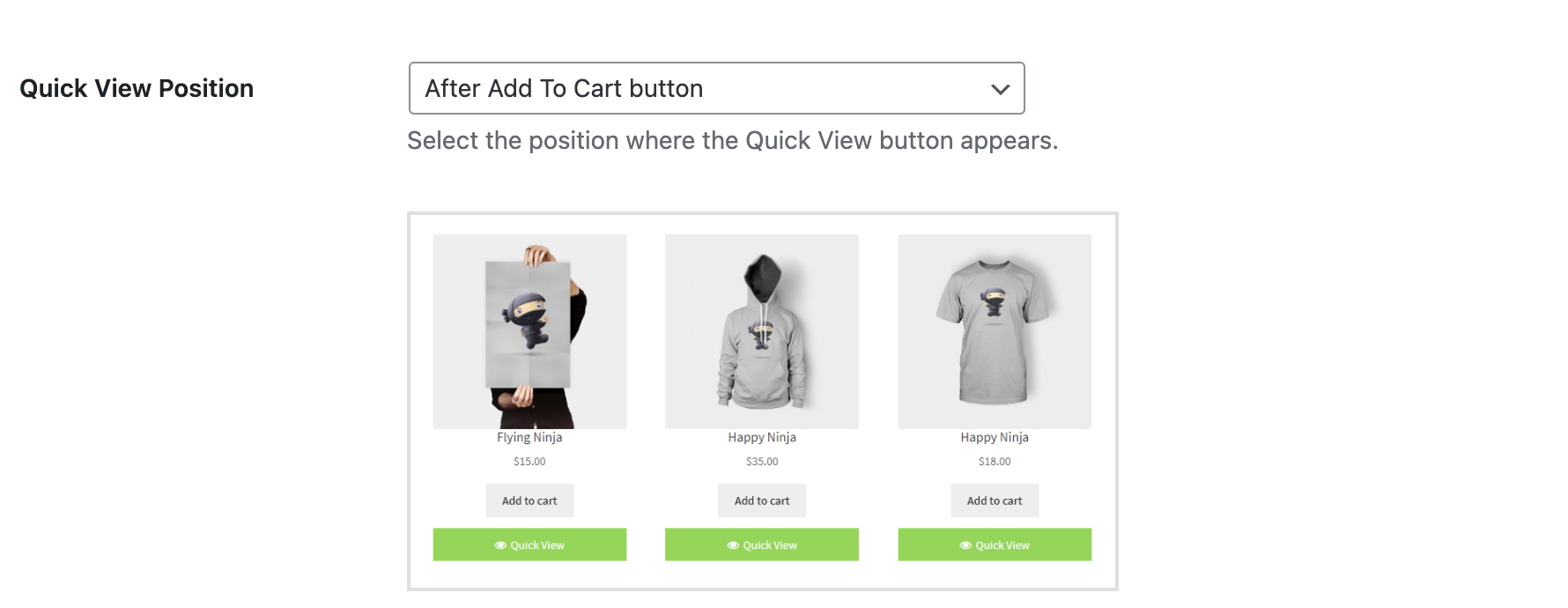
set the position of the Quick View button for accessing the quick view feature. Choose from various placement options. Such as next to the 'Add to Cart' button, after the product title, after the product price, or displaying it within the product image.
Popup Modal Effect Customizer
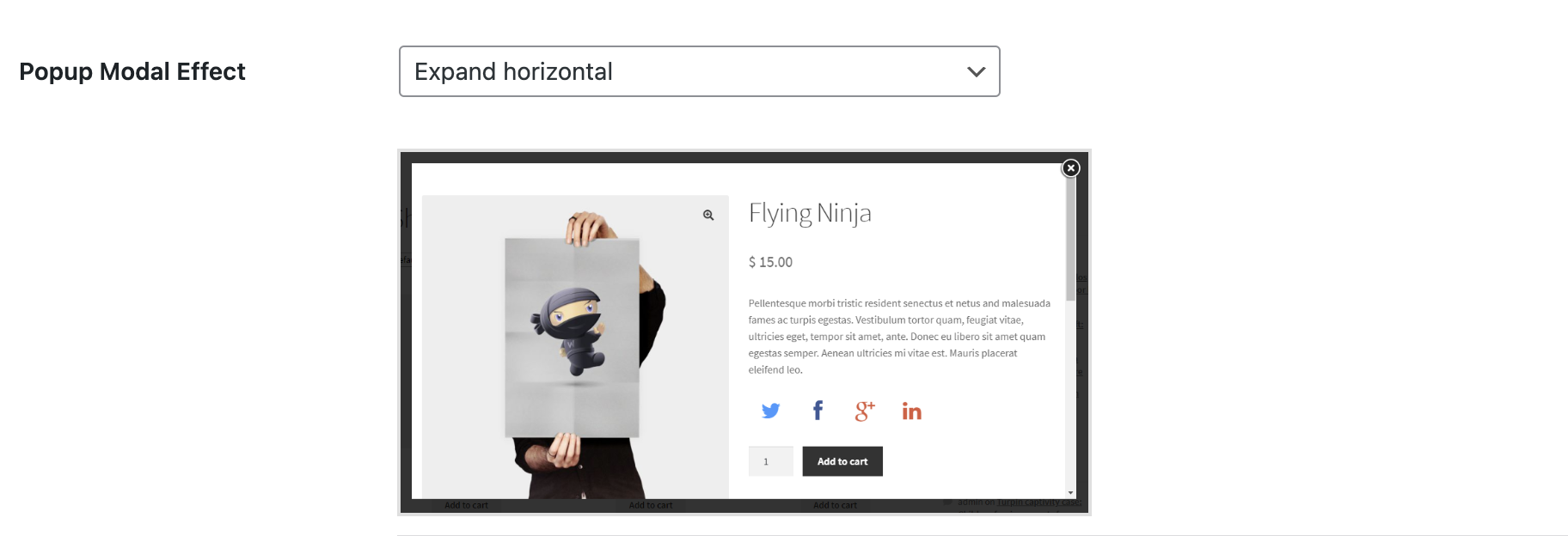
Set the Popup Modal Effect for the Quick View popup. Choose from various options such as Slide In from Bottom, Slide In from Top, Slide In from Left, Slide In from Right, Newspaper, Expand Horizontally, Expand Vertically, Zoom In, Zoom Out, and more.
QuickView Popup Settings
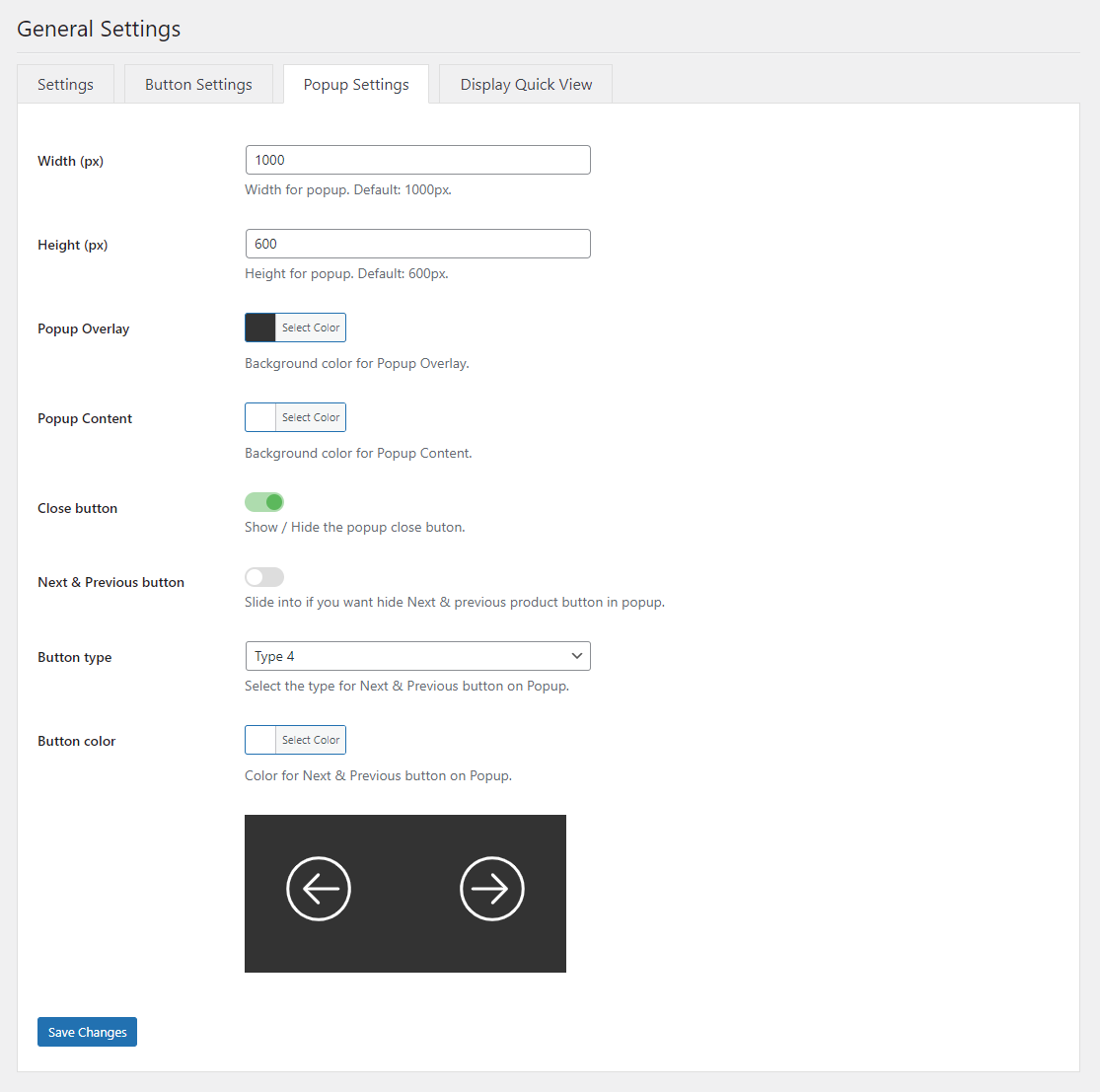
Easily customize the Quick View popup by adjusting the width, height, background overlay, and background content. You can also choose to show or hide the close button, as well as enable Next and Previous product navigation buttons for seamless browsing between products, etc.
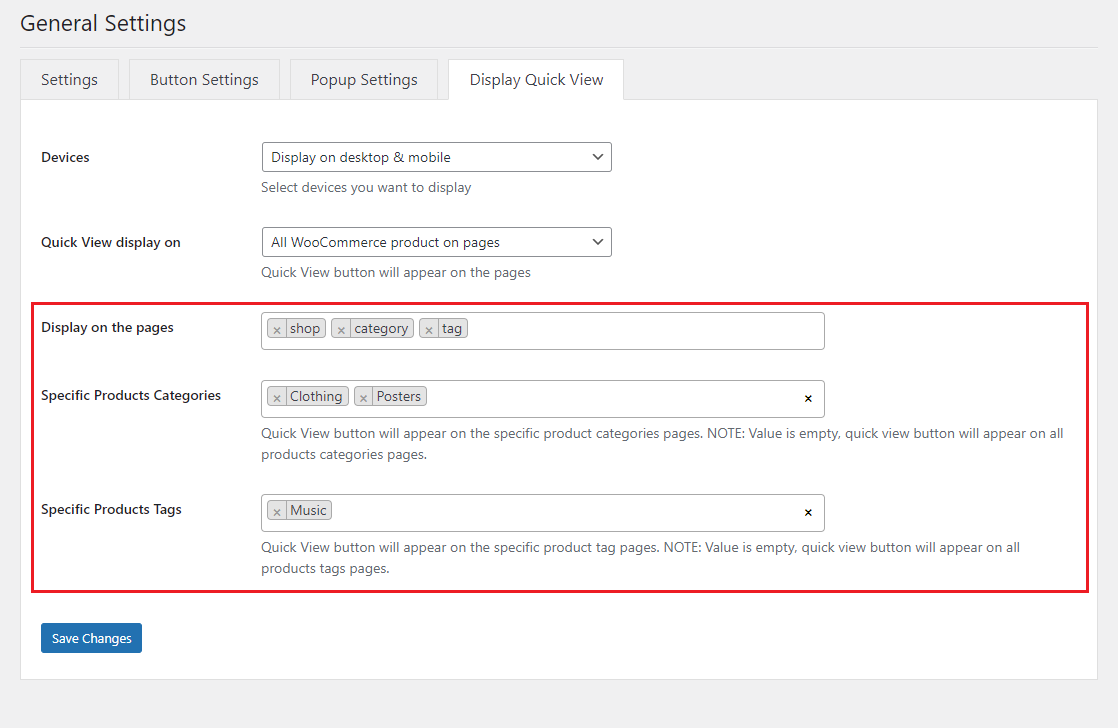
Quick View Popup Display Settings
- Setting Quick View Display on Devices with 3 options: Display on desktop & mobile, Display on mobile only, Display on desktop only.
- Setting Quick View display on pages:
- All WooCommerce pages.
- All WooCommerce product on pages: with this option you will easily specify specifically which pages display Quick View button.
- Specific Products: Quick View button will appear on the specific product pages.
- Specific Products Categories: Quick View button will appear on the specific product categories pages.
- Specific Products Tags: Quick View button will appear on the specific product tag pages.
Browse products within quick view
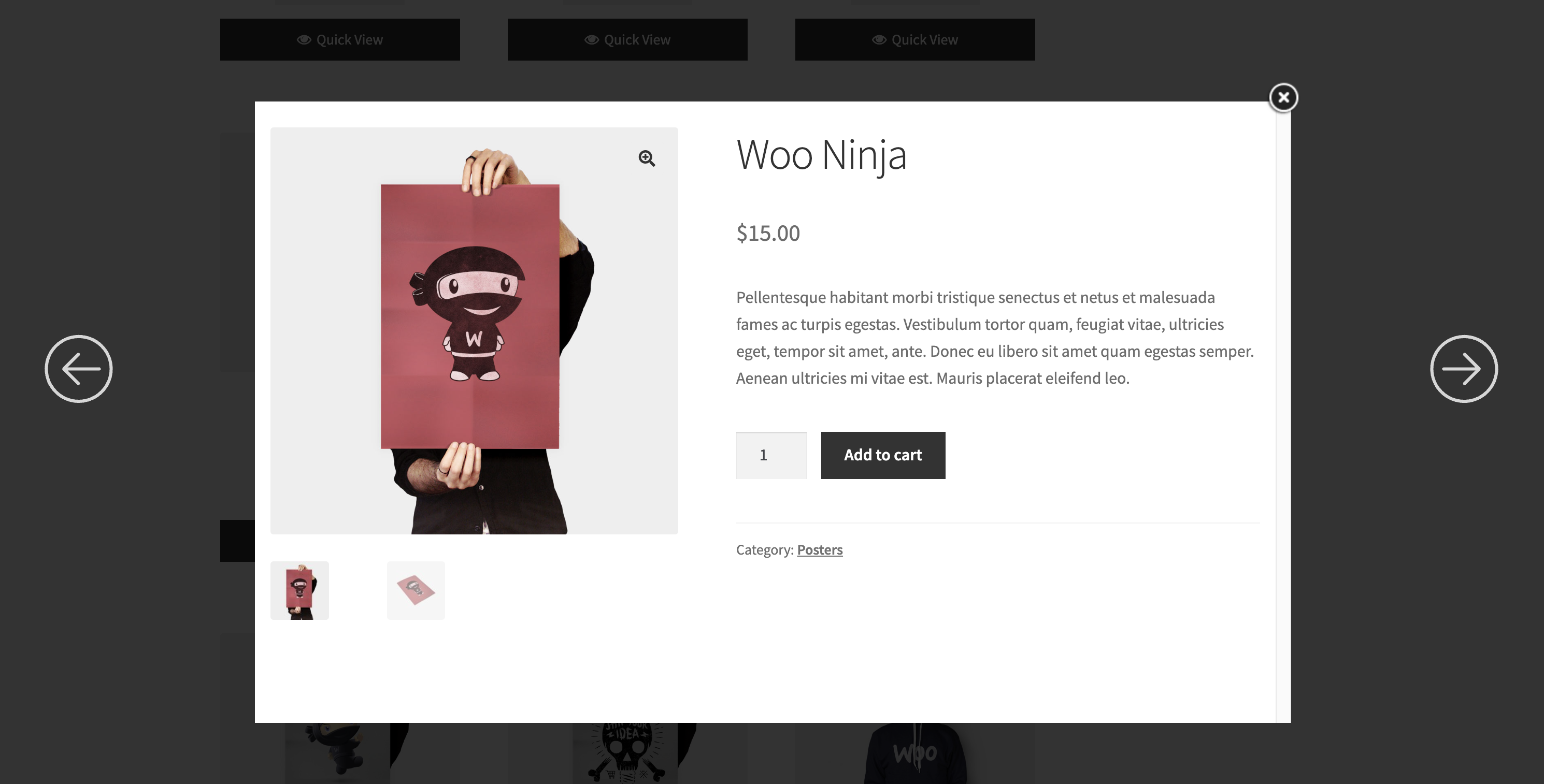
Browse products seamlessly within the Quick View popup, allowing customers to view detailed product information, images, and options without navigating away from the current page. This feature enhances the shopping experience by enabling quick and easy product exploration.
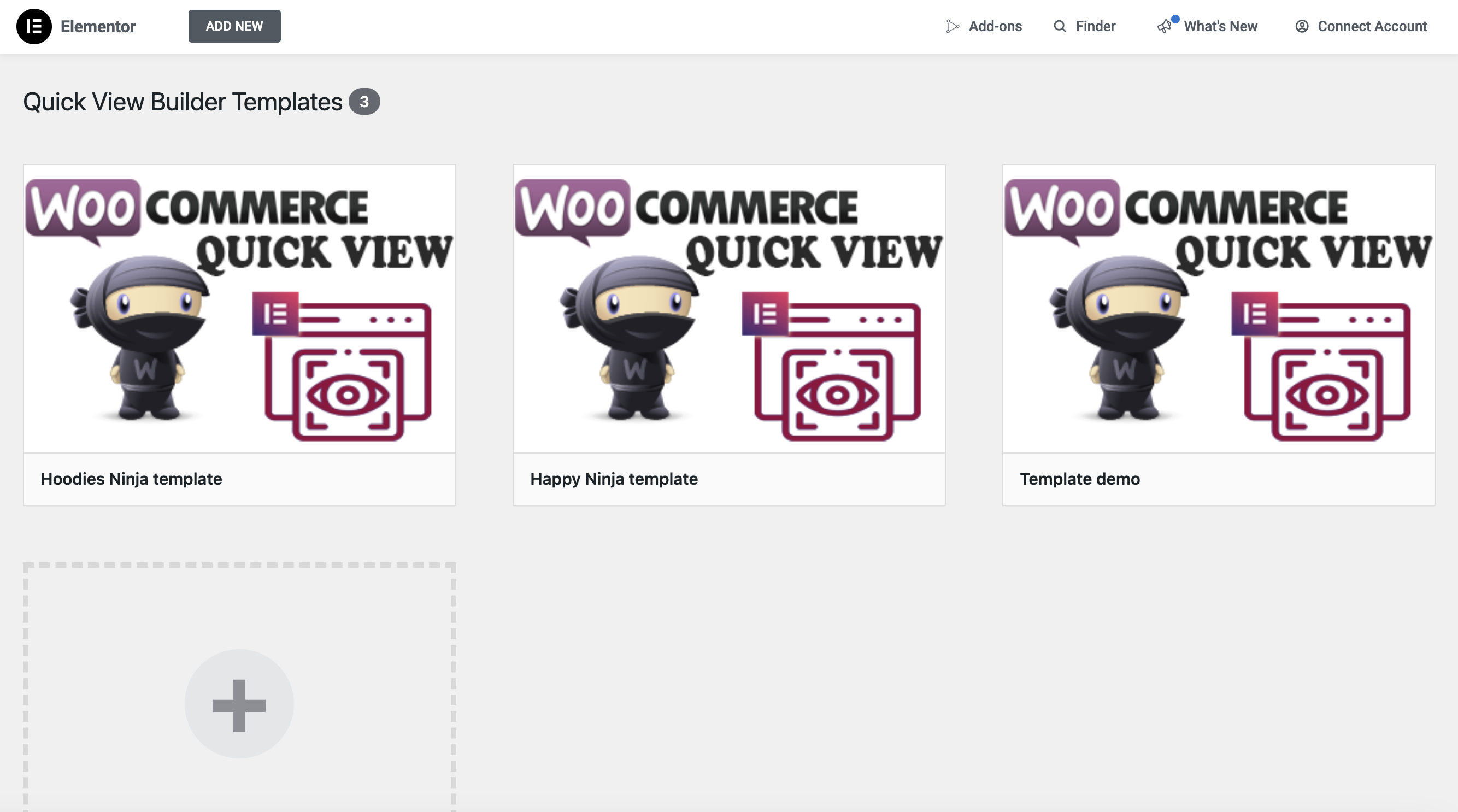
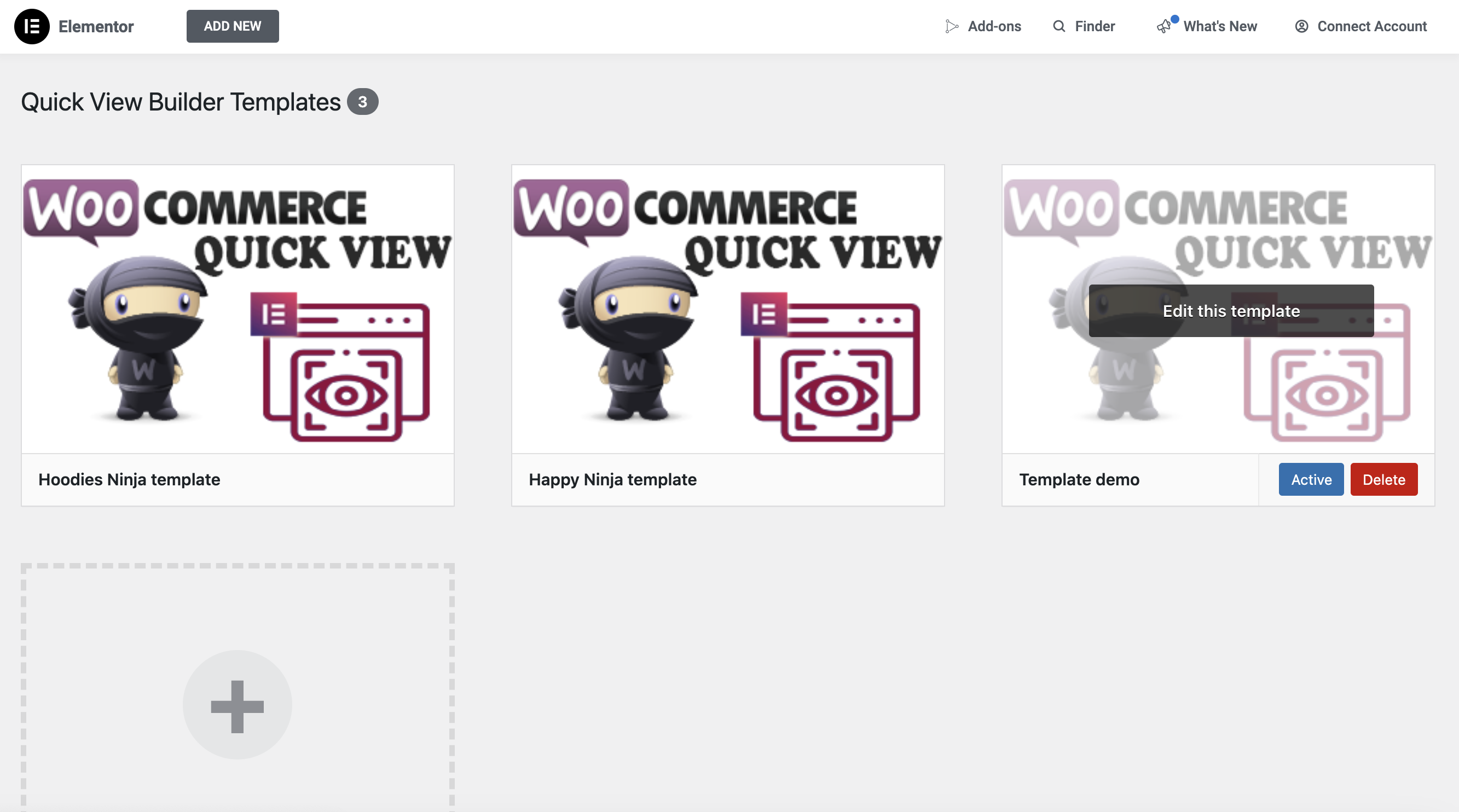
Manage Quick View Templates
You can easily create custom templates for your WooCommerce Quick View popup, fully tailored to your unique design and branding. With these custom templates, you have complete control over the layout, typography, colors, product details, and overall style of the popup. This allows you to enhance the user experience, align the design with your website’s aesthetic, and make browsing products more intuitive. Customizing the Quick View popup helps improve engagement, streamline the shopping process, and create a consistent, branded experience across all customer touchpoints. Once created, all your custom Quick View templates will be centrally displayed here for easy access and management.
Activate the template for Quick View Product
Activate the template for Quick View Product
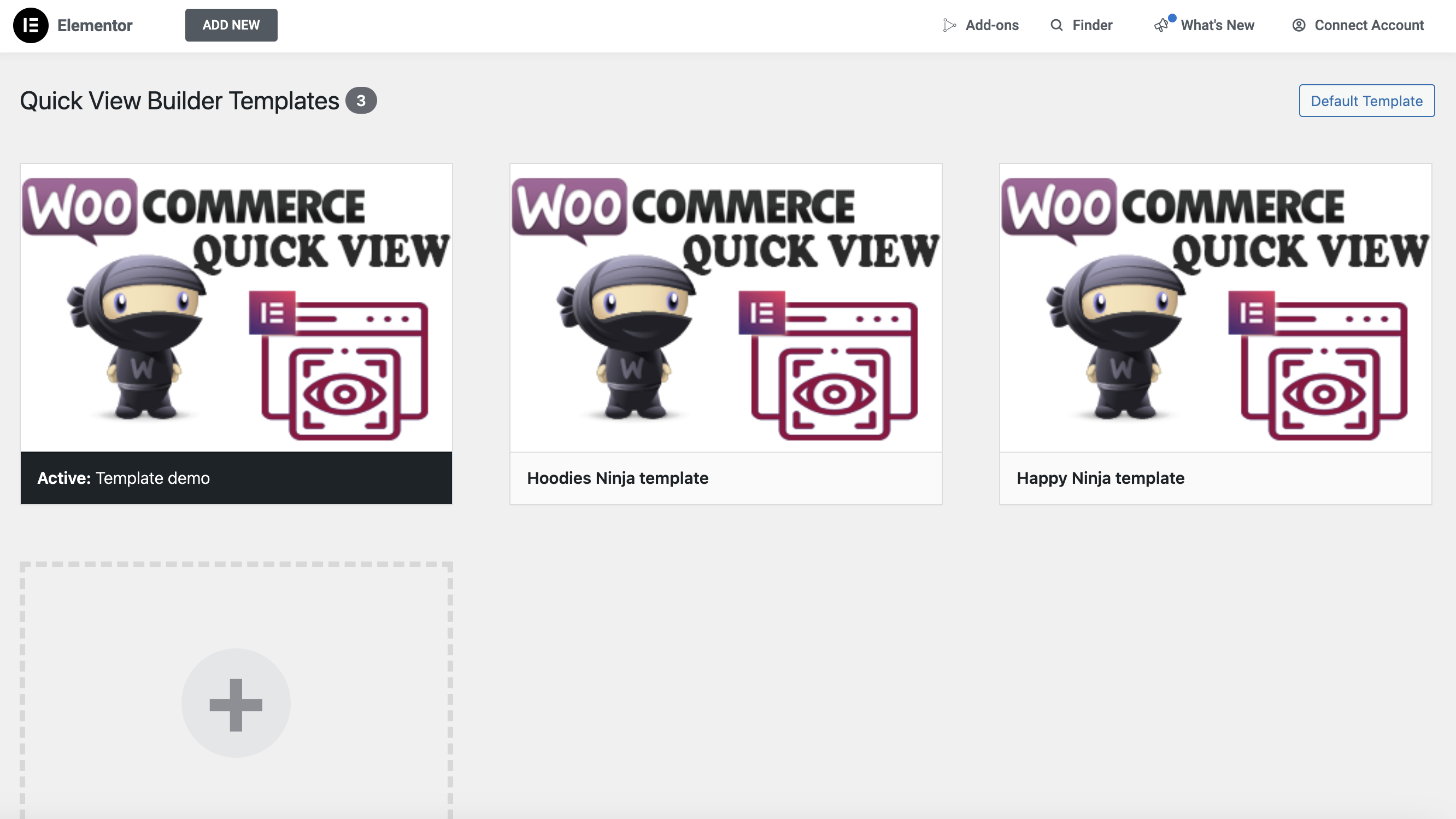
Activate a specific template for all Product pages
Activate a specific template for all Product pages
If you want to apply a template to all product pages, simply select the desired template and click the Activate button in the Quick View Builder >> Templates menu.
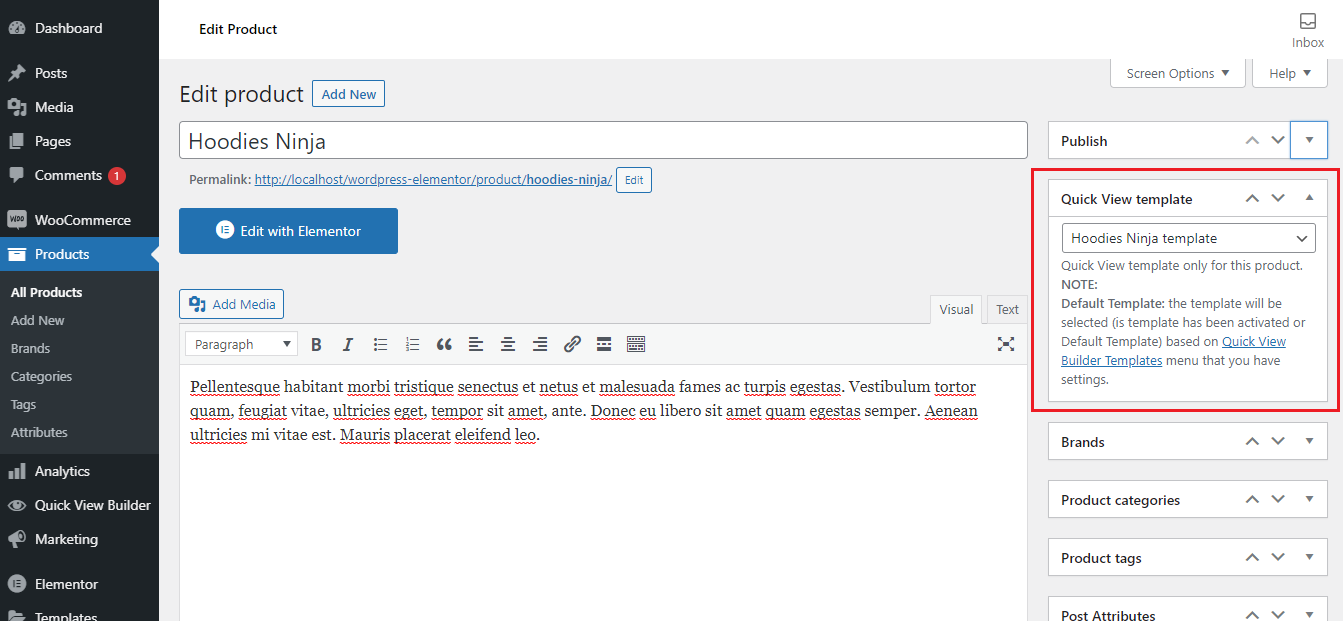
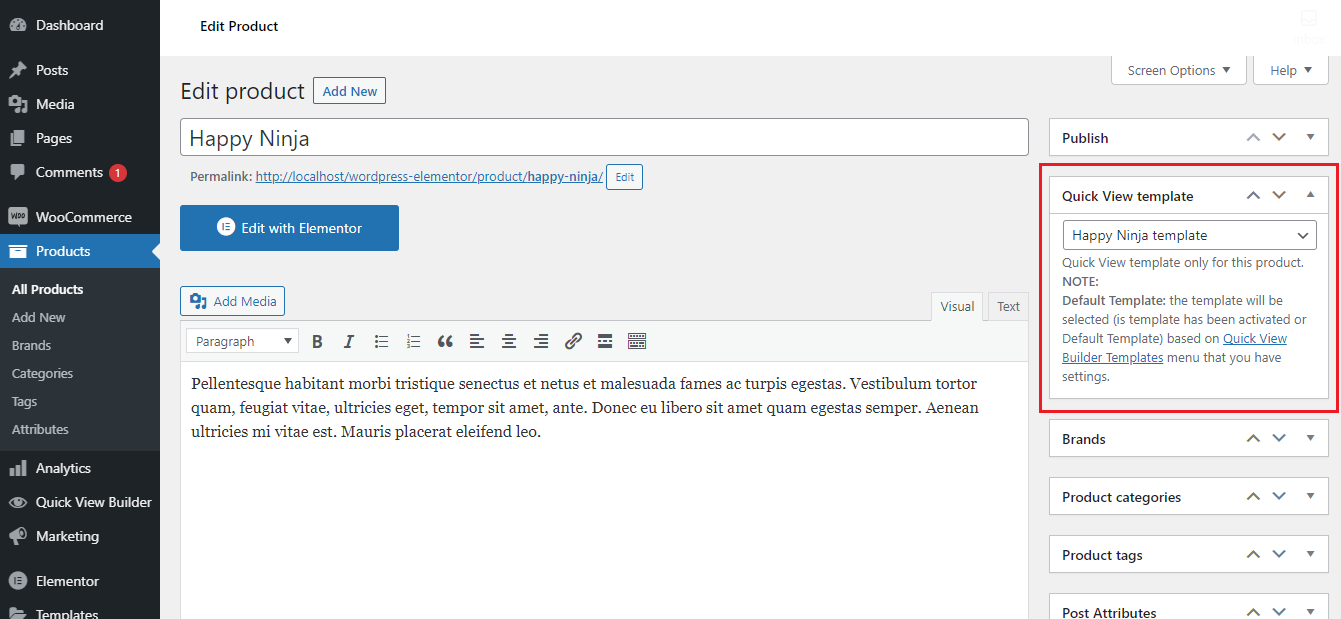
Each product page uses its own specific template
Each product page uses its own specific template
First, create the Quick View templates you want to use. To assign a specific template to a product page, go to the product’s edit page. From there, select the desired template using the Quick View template option.
How does it work?
How does it work?
If you have products like Happy Ninja, Hoodles Ninja, and others, and you want each to use a specific Quick View template, simply go to the edit page of the product. For example, assign the 'Happy Ninja Quick View' template to the Happy Ninja product, and the 'Hoodles Ninja Quick View' template to the Hoodles Ninja product by selecting the appropriate template under the 'Quick View template' option. For other products, the default Quick View template will be used unless a specific one is assigned.
Real-life results
Discover why our products are trusted by customers
Discover why our products are trusted by customers

Video demo WooCommerce Quick View Builder for Elementor Page Builder plugin
Video demo WooCommerce Quick View Builder for Elementor Page Builder plugin
frequently asked questions
Related Wordpress Plugins
Related Wordpress Plugins
Powerful Plugins to Improve Your Website’s Performance.
Powerful Plugins to Improve Your Website’s Performance.
With this plugin, you can customize product archive pages to your style by simply dragging and dropping the interface without code with Elementor Page Builder.
With this plugin, you can customize product archive pages to your style by simply dragging and dropping the interface without code with Elementor Page Builder.