
Excellent plugin that complies with everything it promises. Also the technical support is very good. Very good attention and a very professional development.
Happy with the purchase


WordPress Plugins
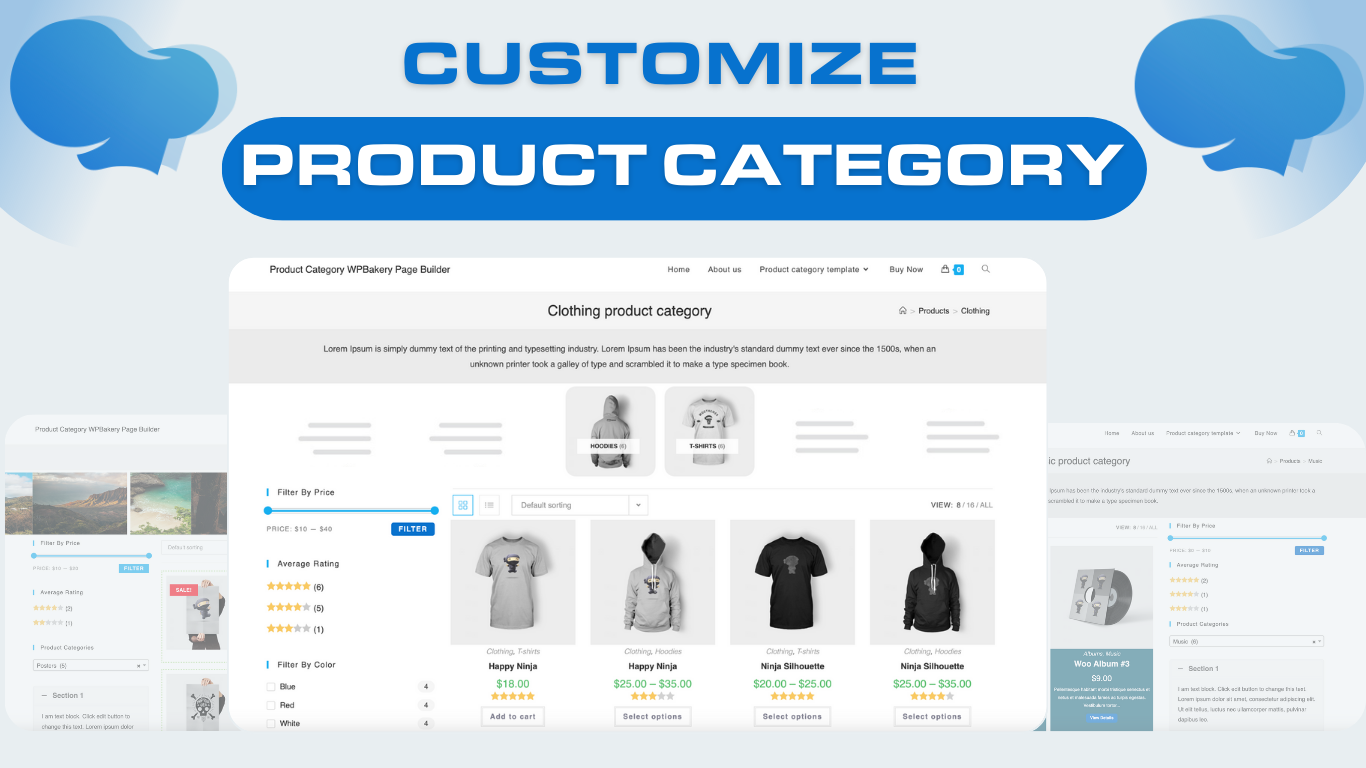
Product category pages are essential for an e-commerce site. They improve navigation by organizing products into specific categories, making it easier for users to browse and find items of interest. They also enhance SEO by clarifying the site's structure for search engines and help users discover related products, encouraging further shopping.
This plugin allows easy customization of templates and blocks for product category pages, enabling you to align their appearance and functionality with your site's design and requirements. NOTE: This plugin is an add-on for the WPBakery Page Builder plugin, and it only works if WPbakery Page Builder are installed.
WordPress Plugins
Product category pages are essential for an e-commerce site. They improve navigation by organizing products into specific categories, making it easier for users to browse and find items of interest. They also enhance SEO by clarifying the site's structure for search engines and help users discover related products, encouraging further shopping.
This plugin allows easy customization of templates and blocks for product category pages, enabling you to align their appearance and functionality with your site's design and requirements. NOTE: This plugin is an add-on for the WPBakery Page Builder plugin, and it only works if WPbakery Page Builder are installed.
This plugin significantly simplifies the utilization of product category templates within WPBakery Page Builder.
Organize products into categories, making it easier for users to browse and find items.
Improve site structure for search engines, increasing visibility and helping customers discover related products.
Organize products into clearly defined categories for a streamlined shopping experience.
Customizing the layout of product category pages enables you to tailor the design and structure to reflect your brand’s unique style and identity. This includes adjusting elements like typography, colors, product display arrangements, and content blocks to create a cohesive visual experience.
Custom layouts for product category pages can enhance the shopping experience by reducing clutter and highlighting key products. This streamlined approach makes it easier for customers to navigate, find products of interest, and make informed purchasing decisions, potentially leading to higher conversion rates.
No burden. No more stress in case your codes go wrong.
You can’t buy happiness, but you can buy time! This is how you do it since we already took the harder part.
We will still update many new features to ensure the best quality for customers in the future…
Product Categories Customizer helps organize and display your WooCommerce product categories in a clear, intuitive order, making it easy for customers to find what they need and enhancing their shopping experience.
Product Category elements
Product Category elements
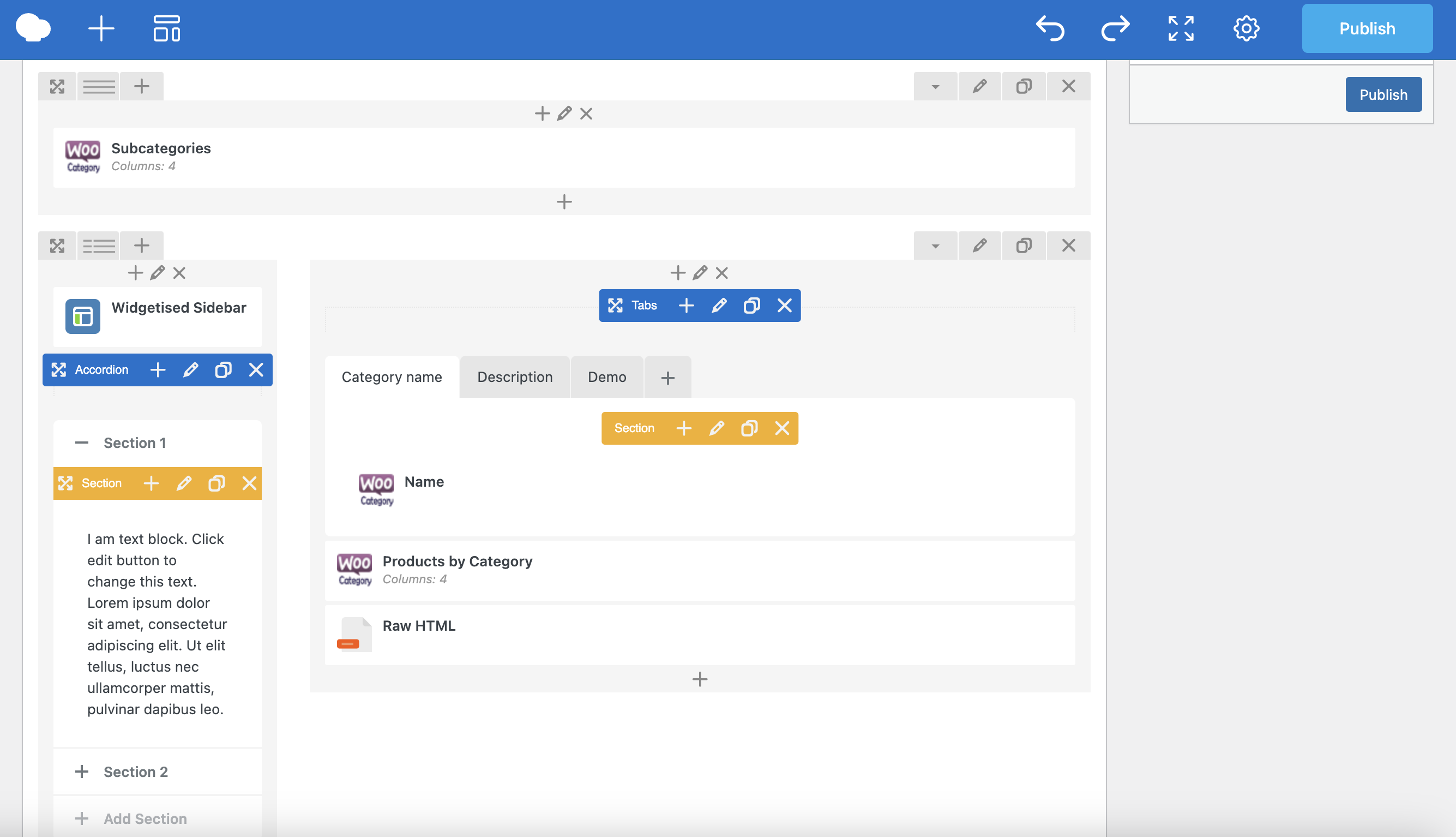
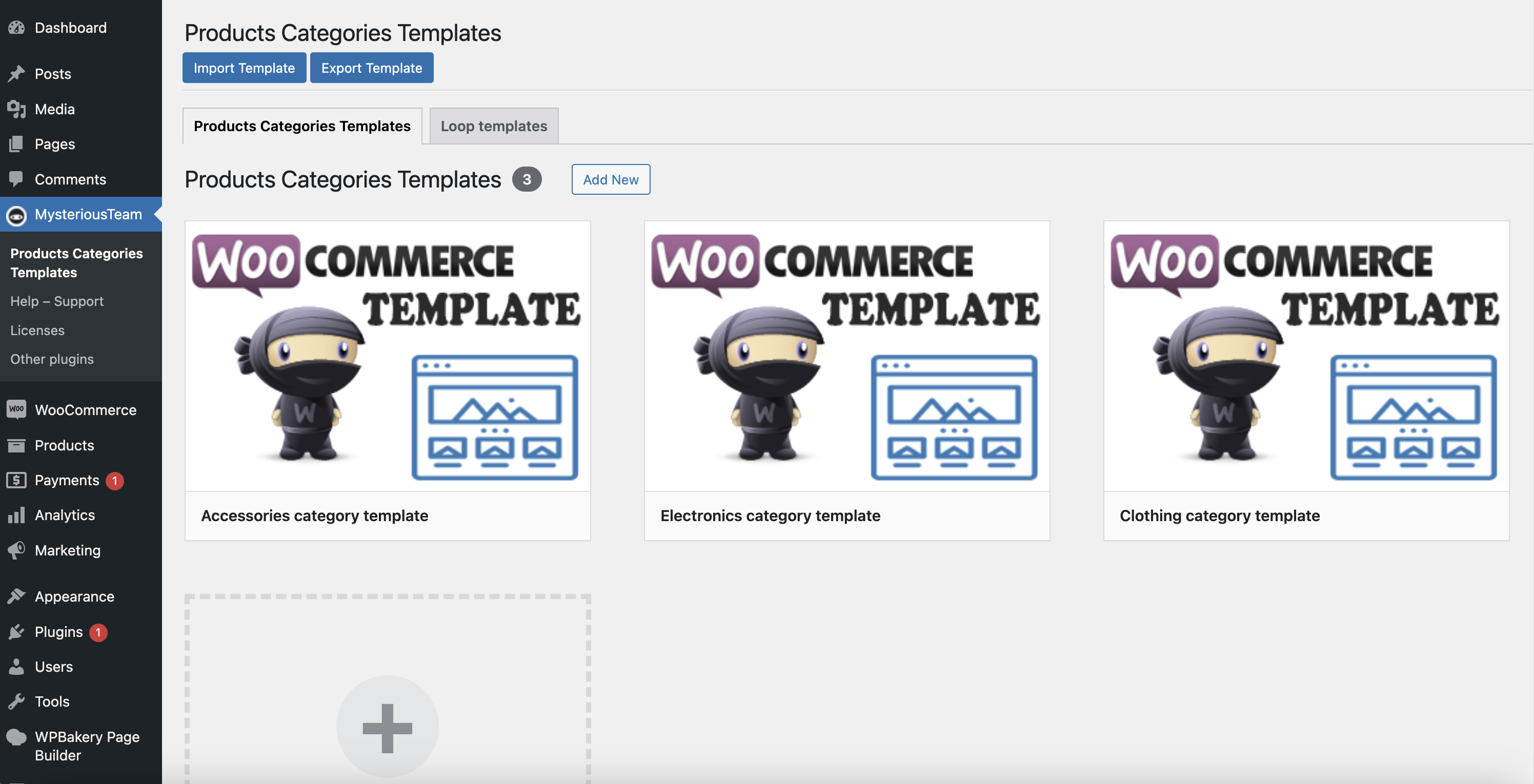
You can easily create custom templates for essential WooCommerce product category pages, fully tailored to your unique design and branding. With these custom templates, you have complete control over the layout, typography, colors, product display arrangements, and overall style of each category page. This allows you to enhance the shopping experience, align the design with your website’s aesthetic, and make browsing products more intuitive. Customizing product category pages helps improve user engagement, streamline navigation, and create a consistent, branded experience across all customer touchpoints. Once created, all your custom templates will be centrally displayed here.
Activate the template for Product Cateogry pages
Activate the template for Product Cateogry pages
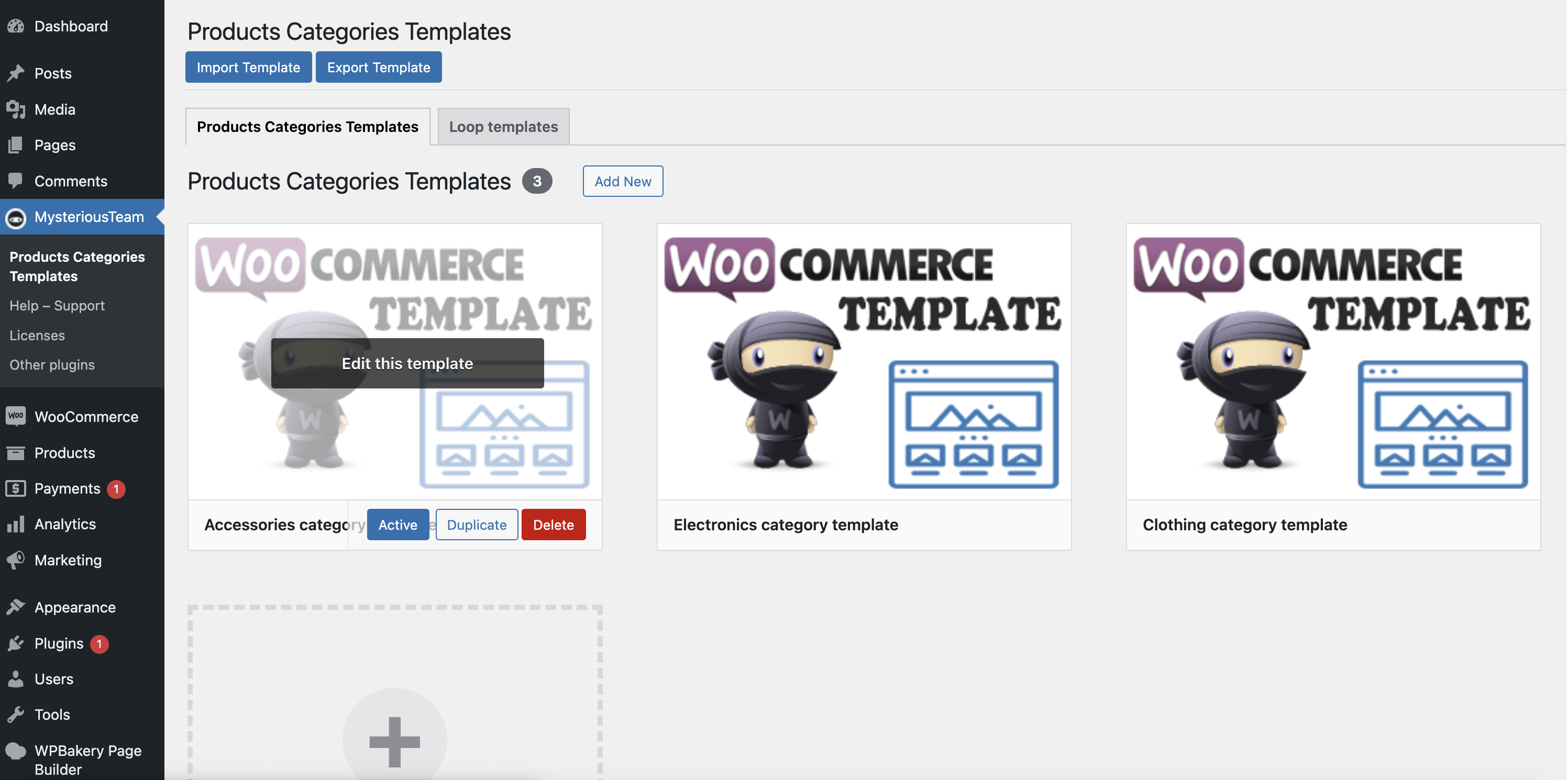
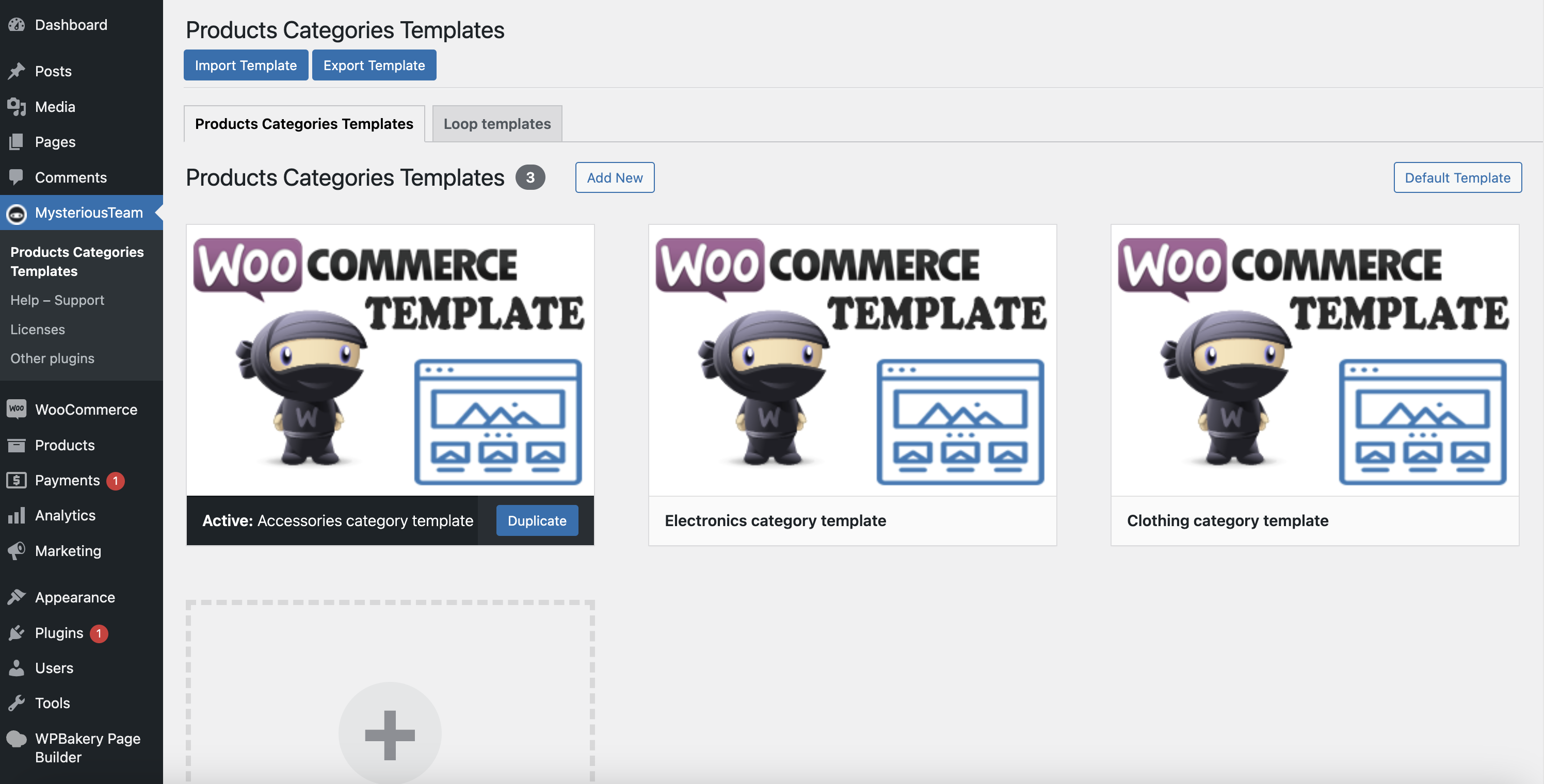
If you want to apply a template to all product category pages, simply select the desired template and click the Activate button in the MysteriousTeam >> Product Category Templates menu.
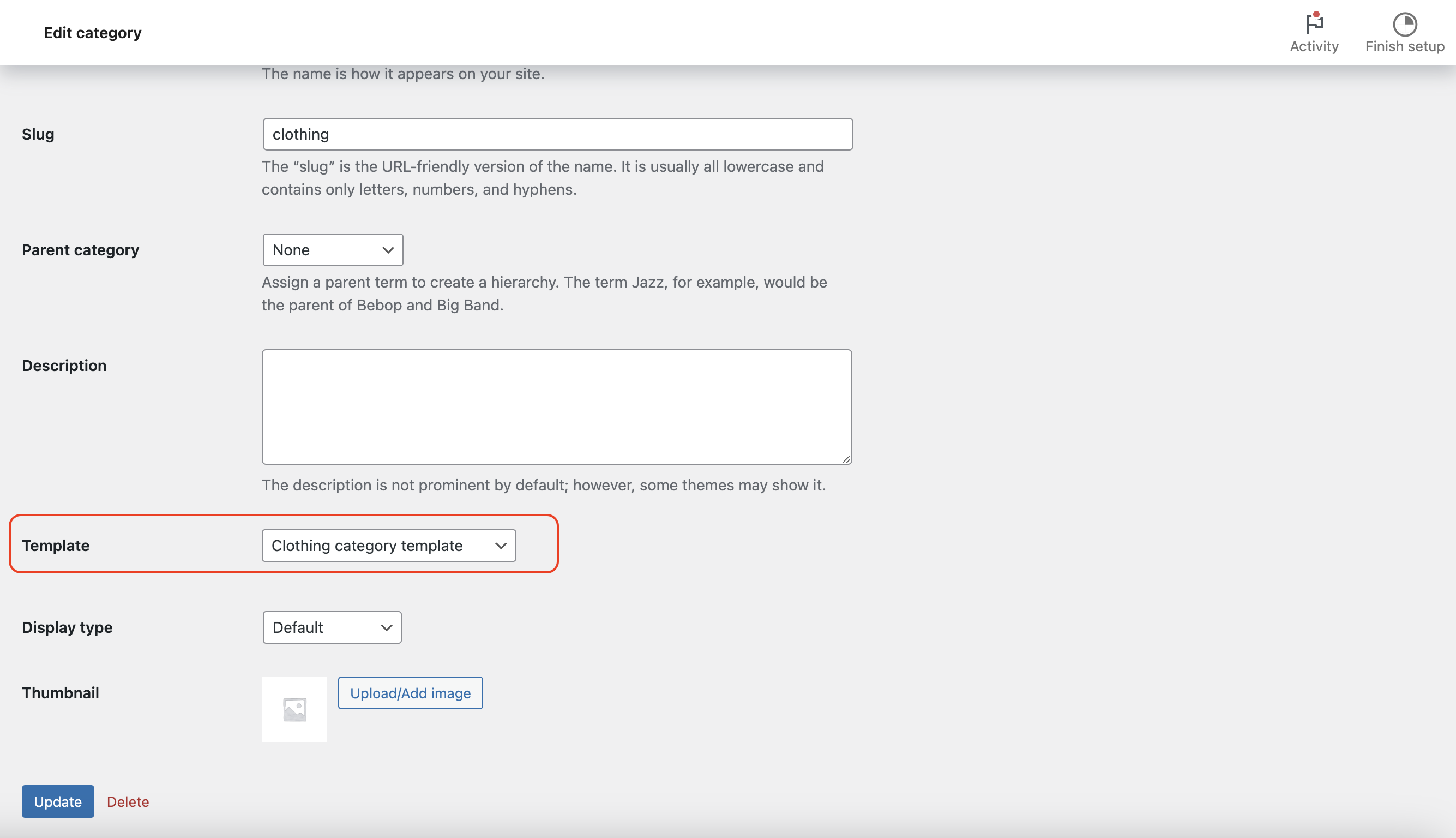
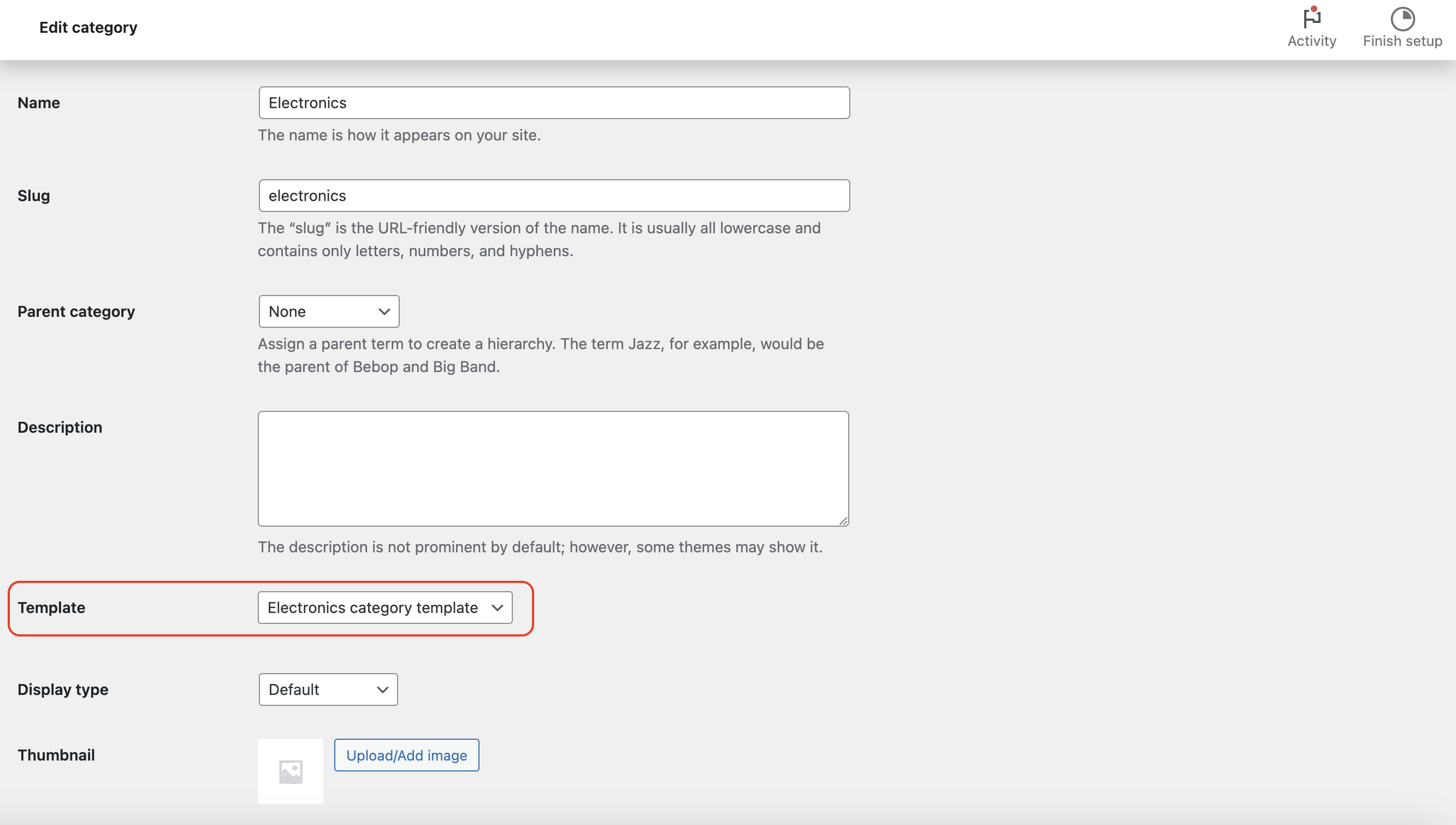
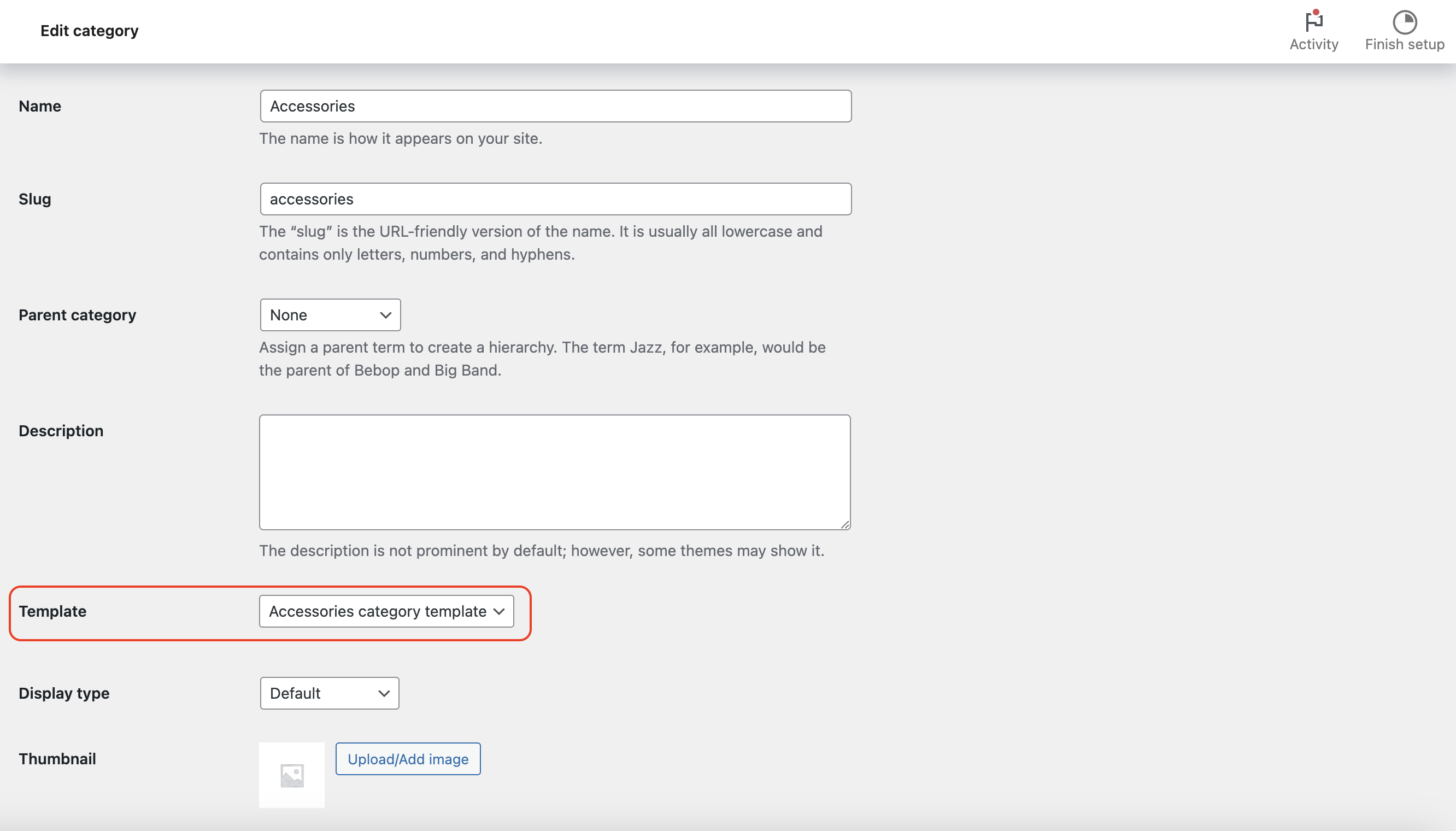
First, create the product category templates you want to use. To assign a specific template to a product category page, go to the edit page for that category. From there, select the desired template using the Template option.
How does it work?
How does it work?
If you have three product categories — Clothing, Electronics, and Accessories — and you want the Clothing category to use the Clothing template, simply visit the edit page of the Clothing category, select the 'Template' option, and choose the Clothing template. You can follow the same process for the Electronics and Accessories categories, selecting the appropriate template for each.
With the Loop template feature, you can unleash your creativity by applying a custom template to the product list, making your WooCommerce store more engaging and unique. This feature allows you to easily customize key elements such as product images, titles, prices, ratings, and custom fields, arranging them in the most organized and intuitive order that fits your style. By modifying these elements, you can create a visually appealing product list that aligns with your branding, enhances the shopping experience, and draws attention to important product details. The Loop template feature offers complete control, empowering you to design product displays that stand out and resonate with your target audience. It simplifies product list customization and ensures consistency across your store's product presentation. Once created, all your custom templates will be centrally displayed here.
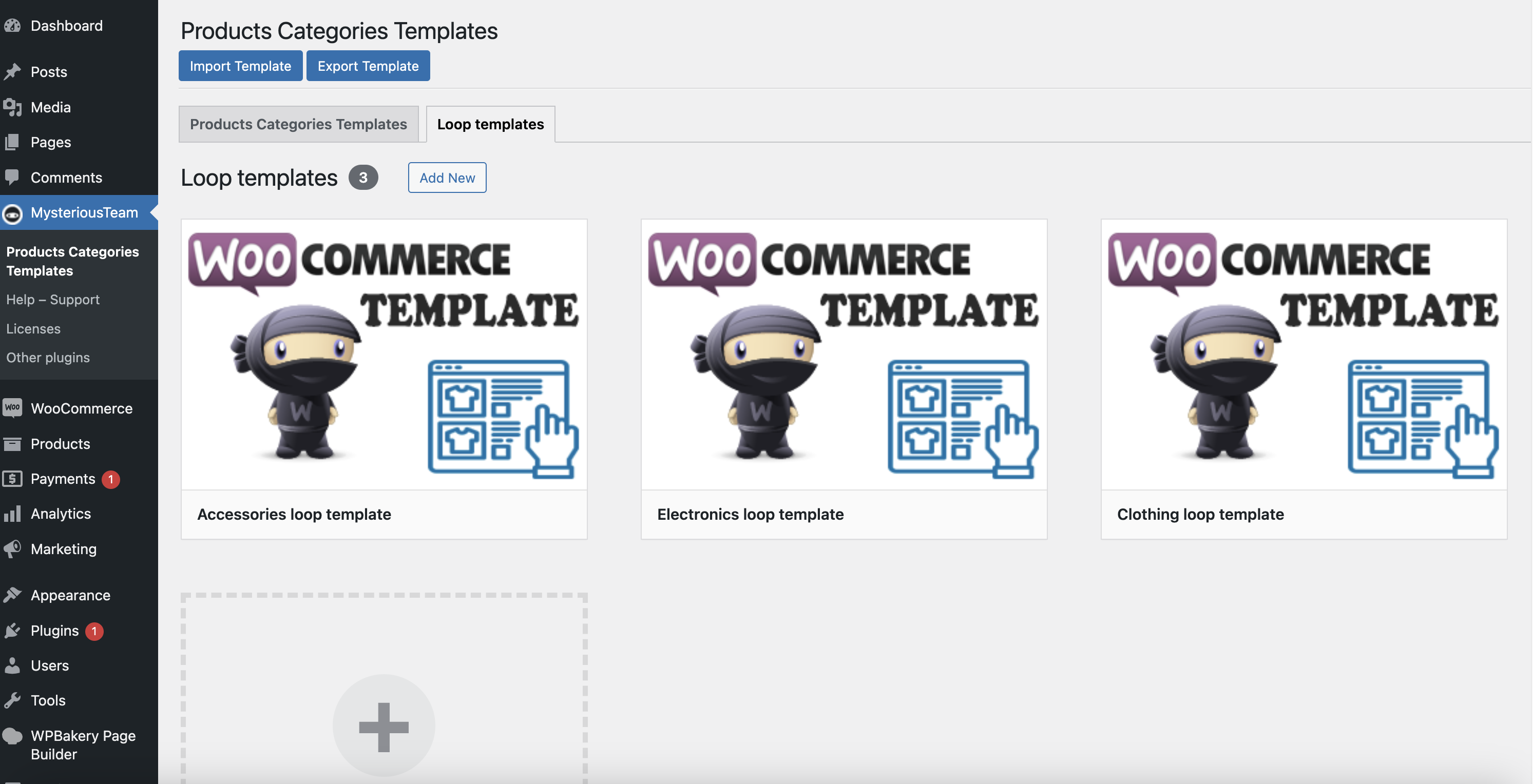
How does it work?
How does it work?
Real-life results
Powerful Plugins to Improve Your Website’s Performance.
Powerful Plugins to Improve Your Website’s Performance.
Add WooCommerce Product Layout elements, or any WPBakery Builder elements, to your website by creating dynamic Product Archive or Product page templates—all without the need for any coding skills.
Add WooCommerce Product Layout elements, or any WPBakery Builder elements, to your website by creating dynamic Product Archive or Product page templates—all without the need for any coding skills.

Add post category elements or any WPBakery Page Builder elements to your website by creating dynamic post category templates without any coding skills.
Add post category elements or any WPBakery Page Builder elements to your website by creating dynamic post category templates without any coding skills.
