

WordPress Plugins
Customize Post Categories for UX Builder (Flatsome Theme)
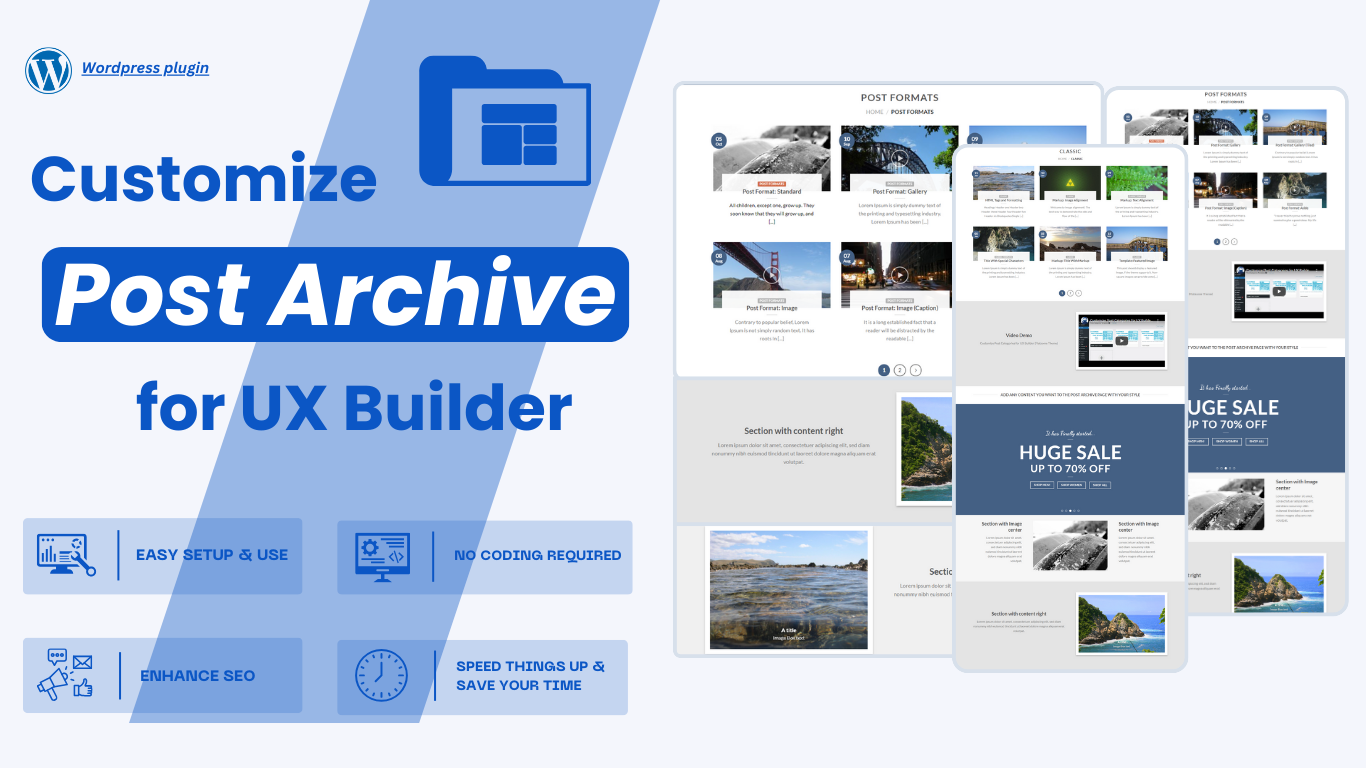
Post category pages are essential for a website. They improve navigation by organizing content into specific topics, making it easier for users to find information. They also enhance SEO by clarifying the site's structure for search engines and help users discover related articles, encouraging further exploration.
This plugin enables easy customization of the templates and blocks for categories pages, allowing you to align their appearance and functionality with your site design and requirements. With require must have UX Builder (Flatsome).
WordPress Plugins
Customize Post Categories for UX Builder (Flatsome Theme)
Post category pages are essential for a website. They improve navigation by organizing content into specific topics, making it easier for users to find information. They also enhance SEO by clarifying the site's structure for search engines and help users discover related articles, encouraging further exploration.
This plugin enables easy customization of the templates and blocks for categories pages, allowing you to align their appearance and functionality with your site design and requirements. With require must have UX Builder (Flatsome).
Are you looking for a better plugin to customize Post Categories pages on your site?
Are you looking for a better plugin to customize Post Categories pages on your site?
FEATURES
This plugin significantly simplifies the utilization of post category templates within UX Builder.
EASY SETUP & EASY TO USE
Setting up an online site with post category layouts for your merchandise couldn’t be easier.
SIMPLY DRAG AND DROP
Building post category layout styles without checking the code just drag and drop elements (UX Builder).
CUSTOMIZE ARCHIVE PAGES
Easily customize the post archive pages to your style with UX Builder elements.
MODERN AND SIMPLE UI/UX
This plugin comes with an intuitive UI which will allow you to set color, image, background, or other options in no time.
WORK WITH UX BUILDER
We love UX Builder and we think you do, too.
NO CODING REQUIRED
No burden. No more stress in case your codes go wrong.
ENHANCE SEO
By having a well-organized category structure, you help search engines better understand your content. This can lead to higher rankings and better discoverability of your posts through relevant searches.
SPEED THINGS UP & SAVE YOUR TIME
You can’t buy happiness, but you can buy time! This is how you do it since we already took the harder part.
STILL MORE TO EXPLORE
We will still update many new features to ensure the best quality for customers in the future…
Creating custom templates for the Post Archive is now easier than ever!
Creating custom templates for the Post Archive is now easier than ever!
Once activated, Post Categories Customizer helps you organize and display your site’s post categories in a clear and intuitive order, allowing customers to easily find the content they’re looking for. It simplifies delivering your message in the most effective way.
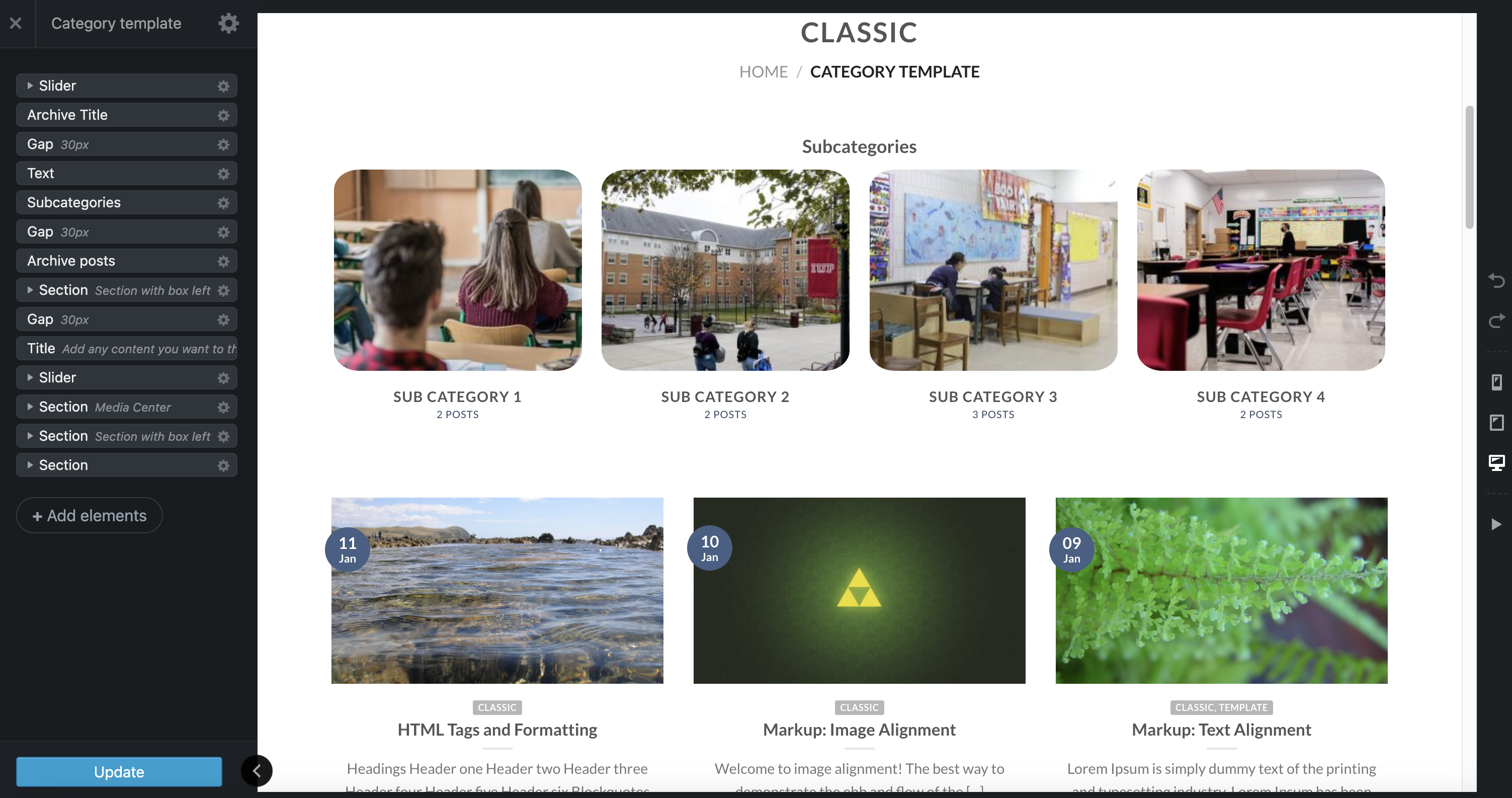
Post Archive elements
Post Archive elements
Name
Description
Archive posts
Subcategories
Thumbnail
Manage Post Archive Templates
Manage Post Archive Templates
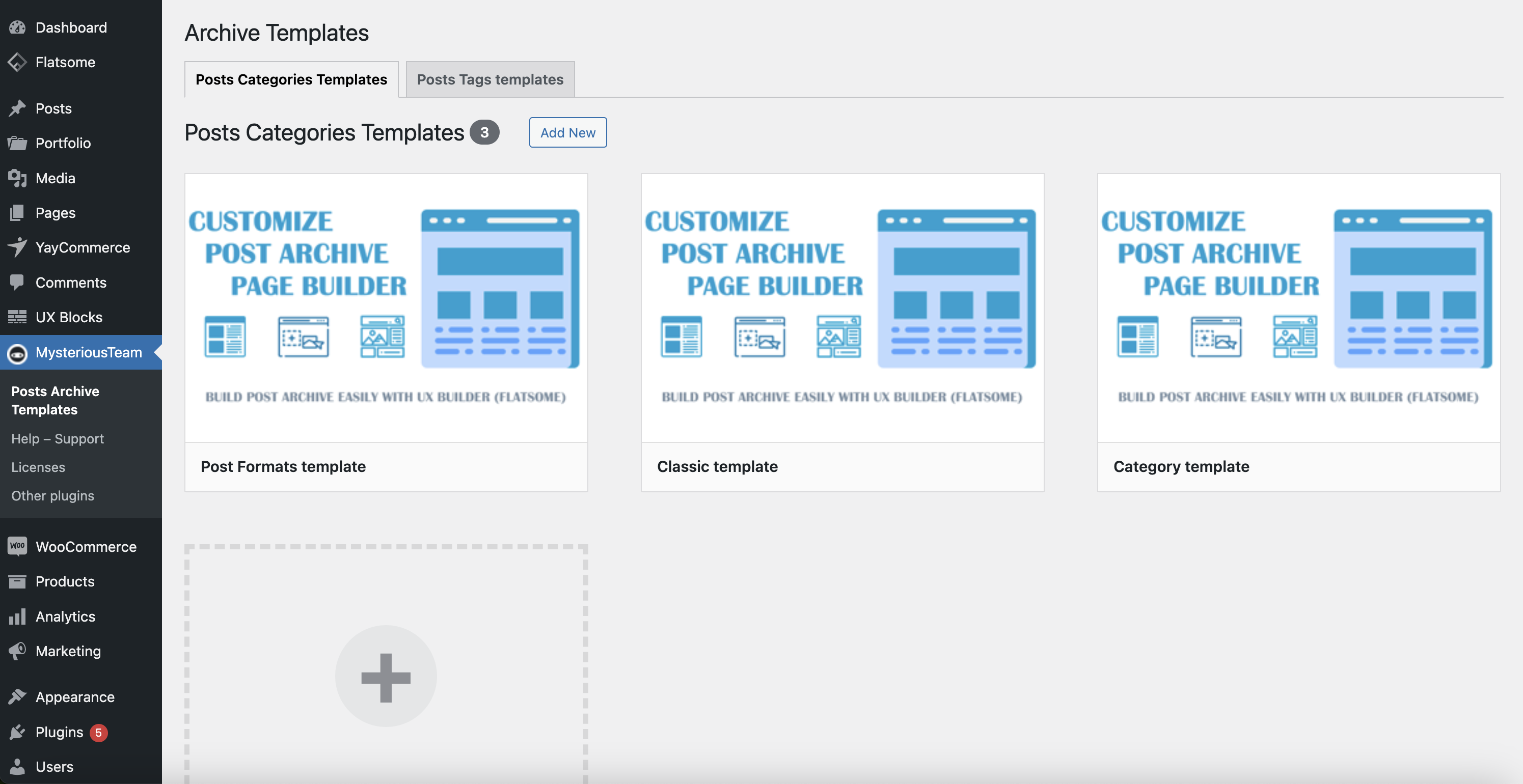
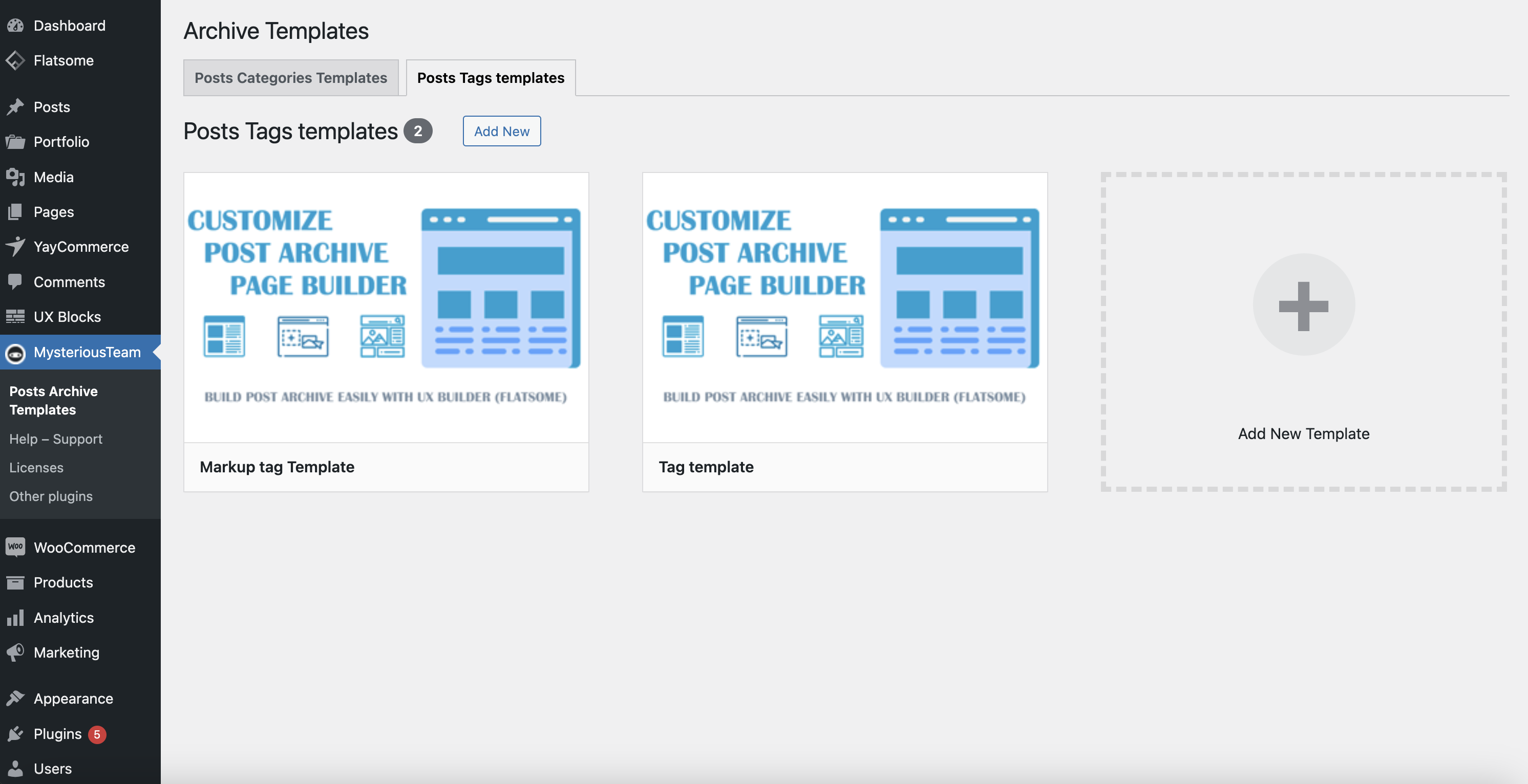
You can effortlessly create custom templates for your website's post archive pages, offering you the flexibility to design them in any style that suits your brand identity. These templates allow you to adjust the layout, styling, and functionality, providing a tailored user experience that reflects your vision. By customizing post archive pages, you can improve how your content is organized and presented, making it more visually engaging and easier to navigate. Whether it's changing the grid layout, modifying the typography, or adding unique design elements, you have full control over how these pages look and feel. Once created, all your custom templates will be centrally displayed here.
Activate the template for archive pages
Activate the template for archive pages
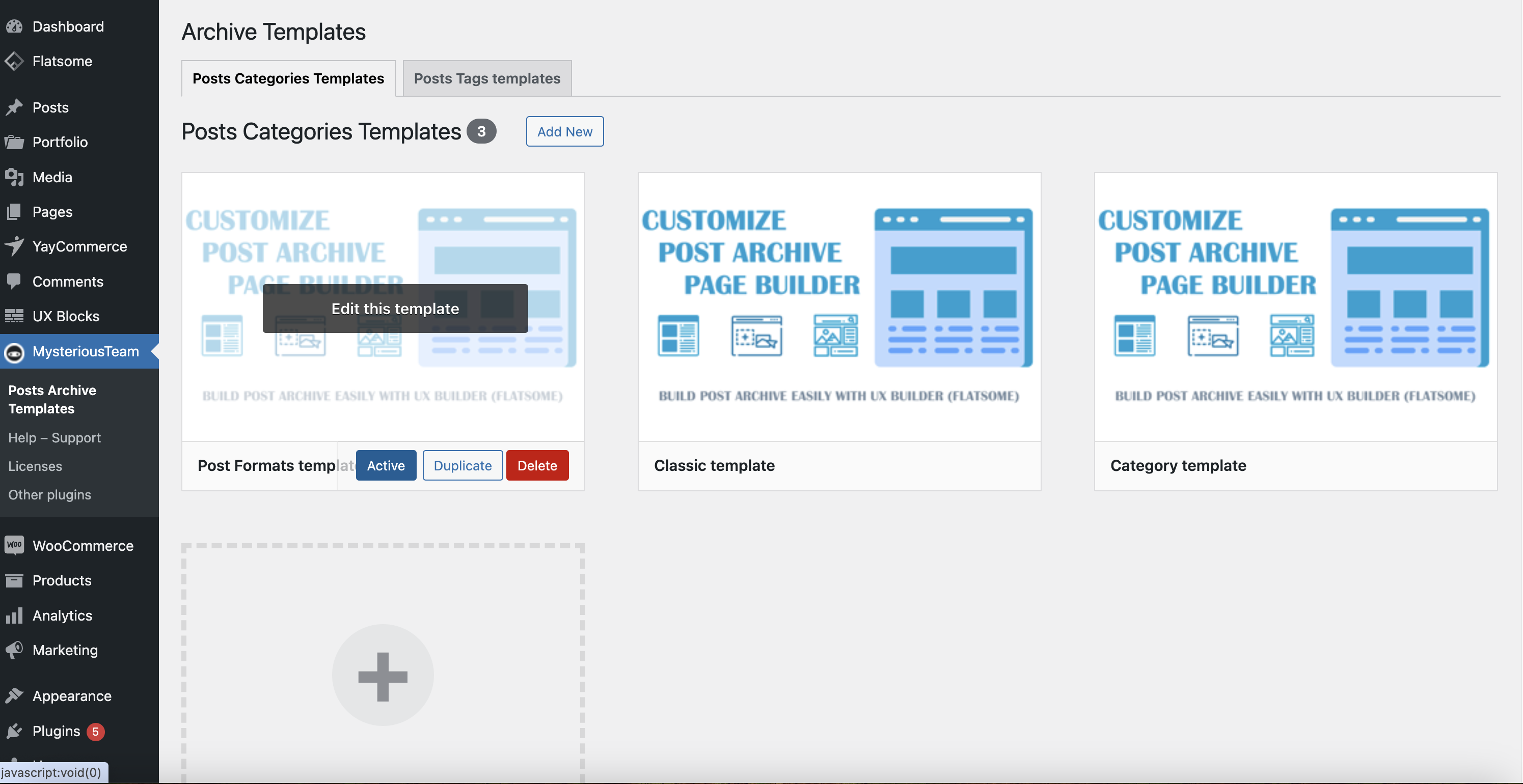
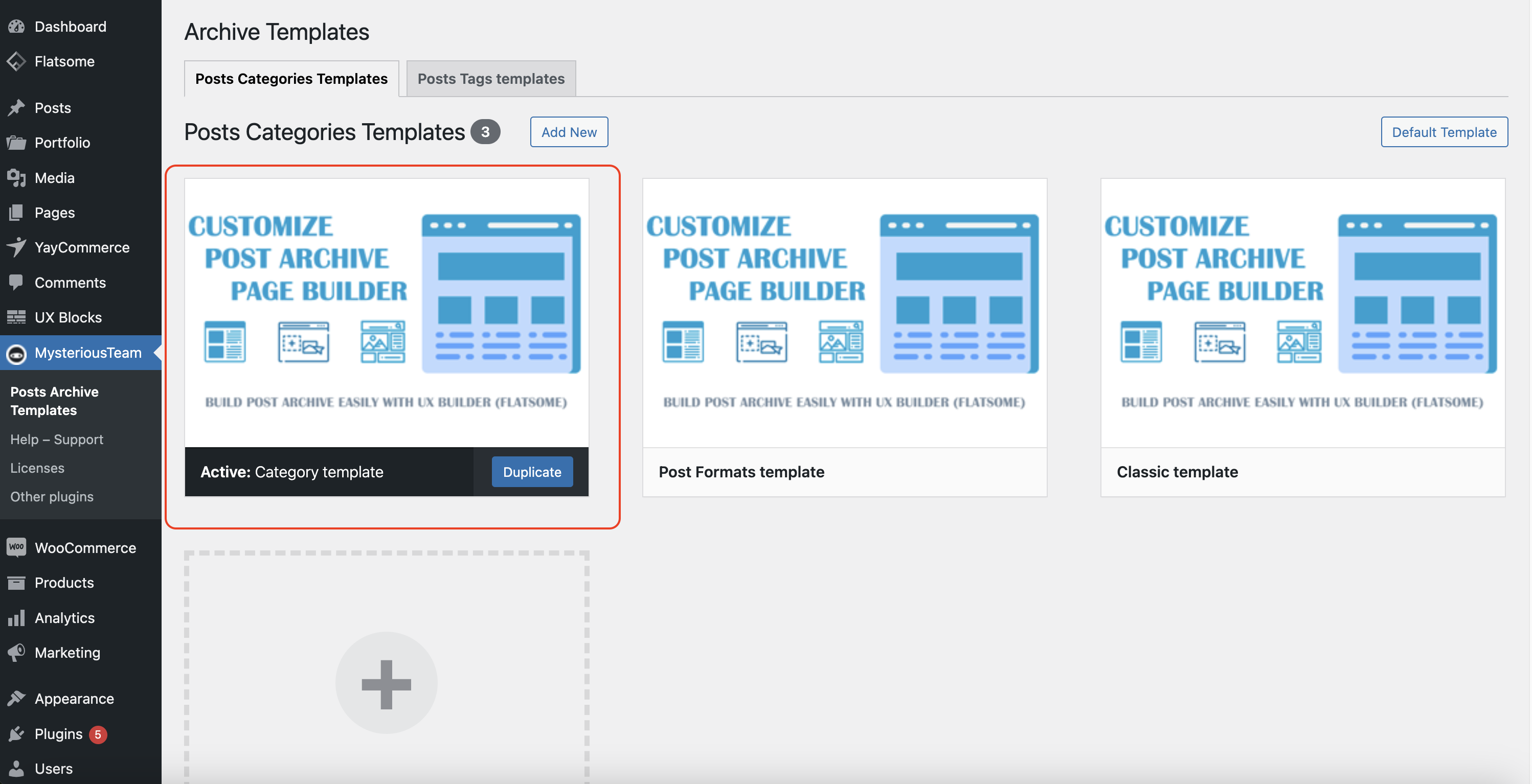
Activate a specific template for all Post Archive pages
Activate a specific template for all Post Archive pages
If you want to apply a template to all post archive pages, simply select a specific template and click the 'Activate' button in the MysteriousTeam >> Posts Archive Templates menu, either under the Post Categories Templates tab or the Post Tags Templates tab.
Each post archive page uses its own specific template
Each post archive page uses its own specific template
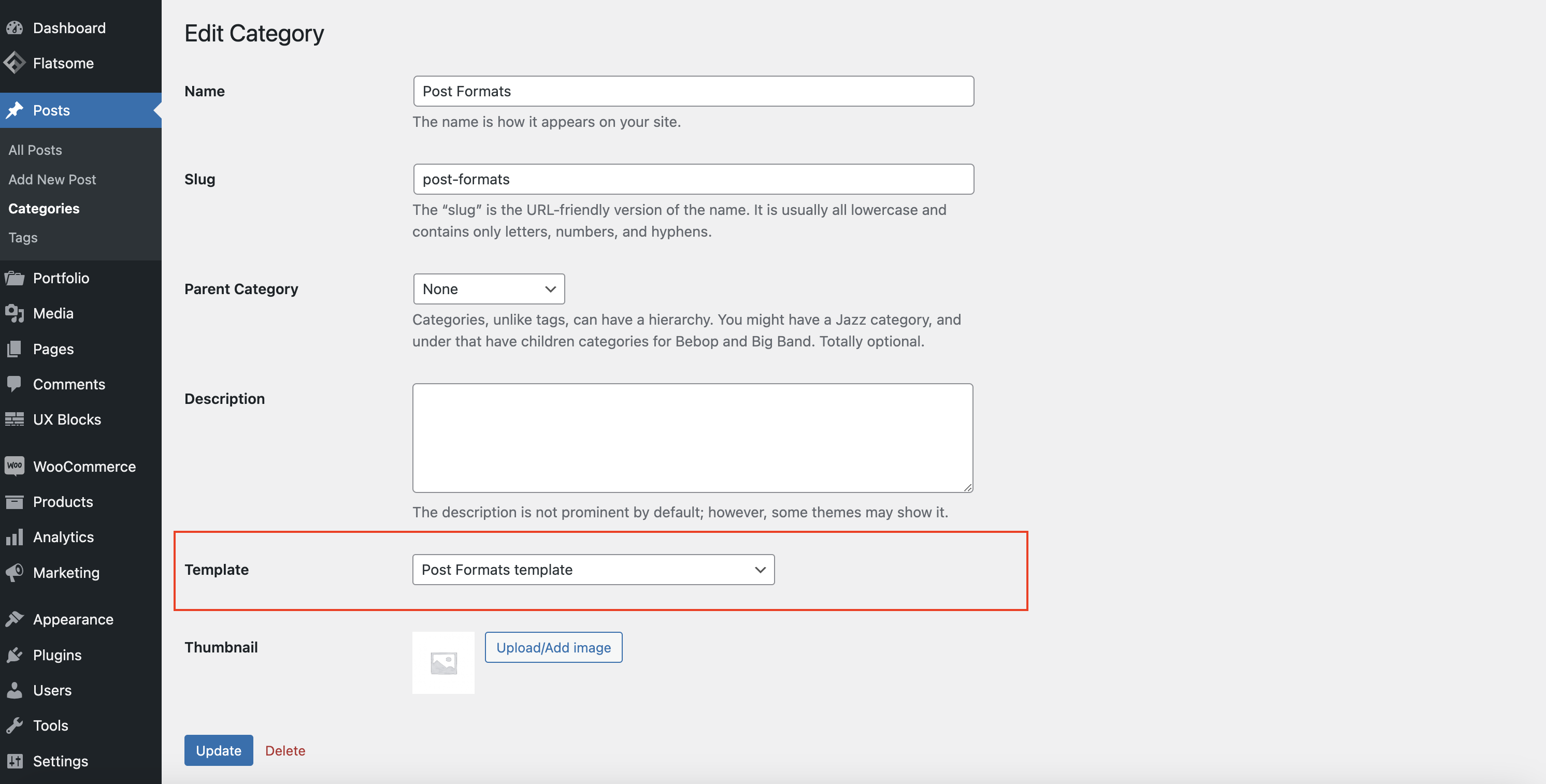
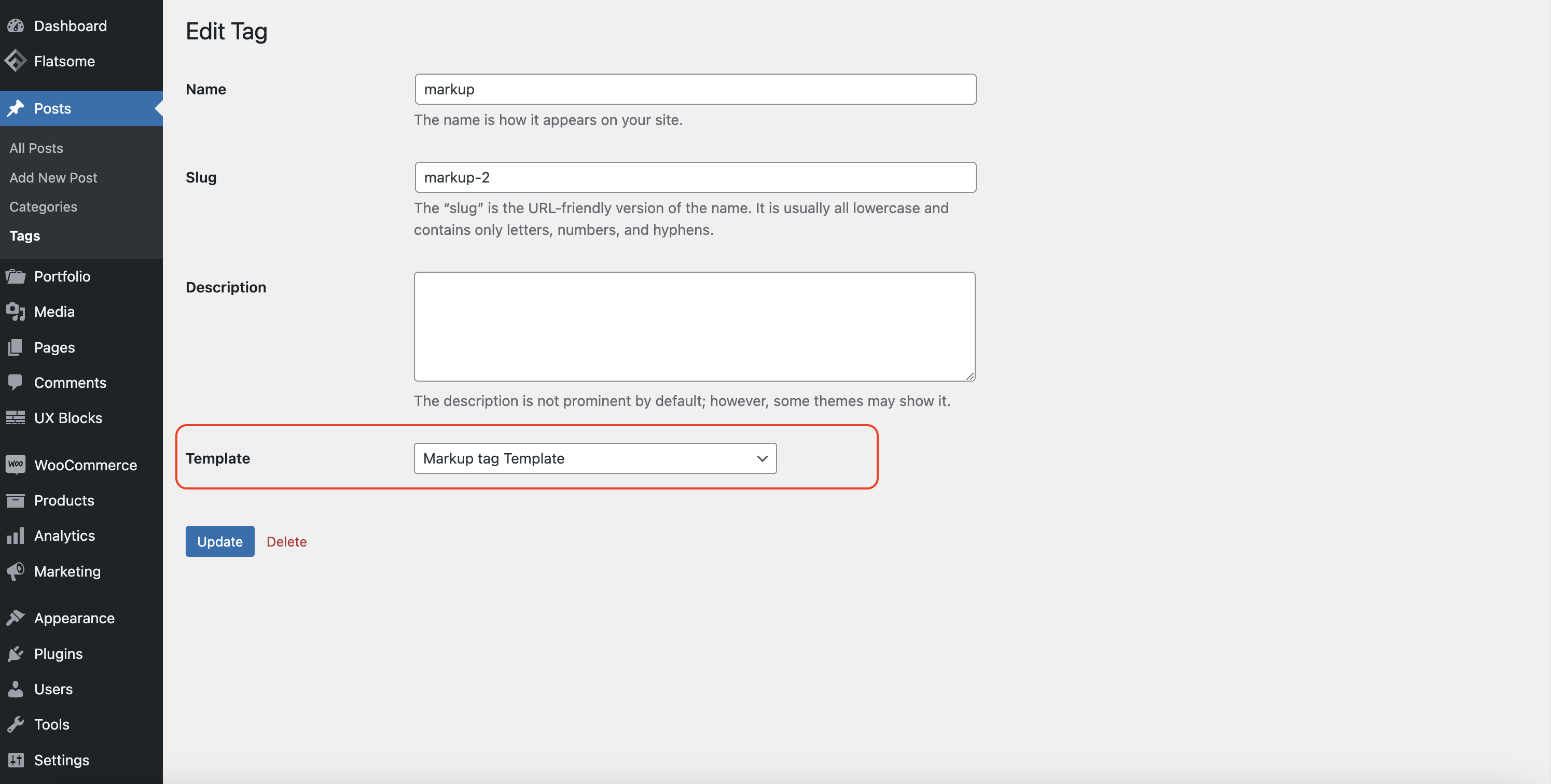
First, create the post archive templates you want to use. To assign a specific template to a post category or tag page, go to the edit page for that category or tag. From there, select a template using the Template option.
How does it work?
How does it work?
If you have three post categories — Classic, Post Formats, and Technology — and you want the Classic category to use the Classic template, simply visit the edit page of the Classic category, select the 'Template' option, and choose the Classic template. You can follow the same process for the Post Formats and Technology categories.
Real-life results
Discover why our products are trusted by customers
Discover why our products are trusted by customers

Video demo Post Categories UX Builder plugin
Video demo Post Categories UX Builder plugin
frequently asked questions
Related Wordpress Plugins
Related Wordpress Plugins
Powerful Plugins to Improve Your Website’s Performance.
Powerful Plugins to Improve Your Website’s Performance.
Add Cart & Checkout elements, or any UX Builder elements, to your website by creating dynamic Cart, Checkout, and Order Received templates—all without needing any coding skills.
Add Cart & Checkout elements, or any UX Builder elements, to your website by creating dynamic Cart, Checkout, and Order Received templates—all without needing any coding skills.

With this plugin, You can customize post layout (custom post types) to your style by simply dragging and dropping the interface without code, with require must have UX Builder (Flatsome theme).
With this plugin, You can customize post layout (custom post types) to your style by simply dragging and dropping the interface without code, with require must have UX Builder (Flatsome theme).
With this plugin, you can customize your single post page to your style by simply dragging and dropping the interface without code, with require must have UX Builder (Flatsome theme).
With this plugin, you can customize your single post page to your style by simply dragging and dropping the interface without code, with require must have UX Builder (Flatsome theme).
With this plugin, you can customize product archive pages to your style by simply dragging and dropping the interface without code with UX Builder (Flatsome theme).
With this plugin, you can customize product archive pages to your style by simply dragging and dropping the interface without code with UX Builder (Flatsome theme).
With this plugin, you can customize your WooCommerce My Account page to your style by simply dragging and dropping the interface without code, with require must have UX Builder (Flatsome theme).
With this plugin, you can customize your WooCommerce My Account page to your style by simply dragging and dropping the interface without code, with require must have UX Builder (Flatsome theme).