
Mysterious logo

WordPress Plugins

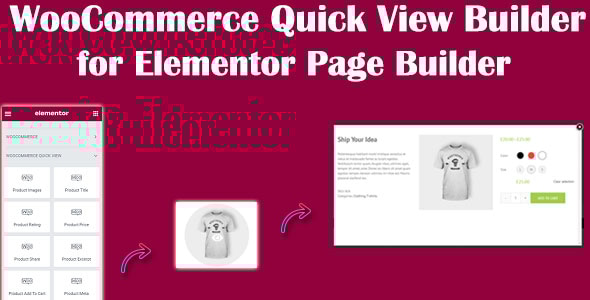
WooCommerce Quick View Builder for Elementor Page Builder

In today’s fast-paced online shopping environment, customers want to find and view products quickly without unnecessary clicks or page reloads. A Quick View popup offers a convenient solution by allowing shoppers to instantly preview product details, such as images, prices, descriptions, and more, all within a pop-up window.

The WooCommerce Quick View Builder for Elementor Page Builder is a plugin designed to enhance the shopping experience by allowing users to view a product's details in a quick popup without needing to navigate away from the current page. This feature is especially useful for customers who want to quickly explore product information, prices, and variations without having to load the full product page.
WordPress Plugins

WooCommerce Quick View Builder for Elementor Page Builder

In today’s fast-paced online shopping environment, customers want to find and view products quickly without unnecessary clicks or page reloads. A Quick View popup offers a convenient solution by allowing shoppers to instantly preview product details, such as images, prices, descriptions, and more, all within a pop-up window.

The WooCommerce Quick View Builder for Elementor Page Builder is a plugin designed to enhance the shopping experience by allowing users to view a product's details in a quick popup without needing to navigate away from the current page. This feature is especially useful for customers who want to quickly explore product information, prices, and variations without having to load the full product page.

Disadvantages of Not Having a Quick View Popup on Your Website

Disadvantages of Not Having a Quick View Popup on Your Website

  • Reduced User Engagement: Users may not interact with as many products, as they are discouraged by having to load separate pages for each product.
  • Increased Friction: Without a Quick View, users need to navigate away from the product list to see details, which can create frustration and increase bounce rates.
  • Lower Conversion Rates: Without the convenience of quickly checking product details, potential customers may abandon their shopping experience before making a purchase.
  • Slower Decision-Making: Users have to leave their current page and load a new one to view more details, which may delay their decision to buy.
  • Decreased User Satisfaction: Customers may feel inconvenienced by the extra steps required to view product details, leading to a poor user experience.
  • Less Mobile-Friendly: On mobile devices, users may find it cumbersome to navigate away from product pages, leading to a less smooth shopping experience.
  • Missed Upsell Opportunities: A Quick View feature makes it easier to highlight related products or upsell items, which may be missed without this functionality.
  • Higher Bounce Rates: Without a streamlined method to view products, users might leave the website more quickly after encountering difficulty in navigating.
  • Lower Overall Engagement: The lack of Quick View might deter users from exploring all available products, reducing time spent on the site.
  • Lost Competitive Edge: Many e-commerce sites using Elementor offer Quick View functionality; lacking it could make your site seem outdated in comparison.
  • Missed Analytics Insights: Without a Quick View, you miss out on tracking user interactions within the popup, losing valuable data on user preferences and behaviors.
  • Increased Abandoned Cart Rates: A Quick View popup makes it easier for customers to add items to their cart directly, reducing steps in the checkout process and minimizing cart abandonment.

Why You Should Use the WooCommerce Quick View Plugin for Elementor Page Builder

Why You Should Use the WooCommerce Quick View Plugin for Elementor Page Builder

  • Enhanced User Experience: A Quick View popup lets users view product details without leaving the main page, making it easier and faster to browse multiple items.
  • Improved Mobile Shopping Experience: Quick View popups are especially helpful on mobile devices, allowing customers to see product details in fewer steps, which reduces frustration on small screens.
  • Reduced Page Load Times: Instead of loading separate product pages, users can view details in a popup, which minimizes page load times and keeps users on your site longer.
  • Higher Conversion Rates: A Quick View popup streamlines the shopping experience, making it easier for users to add items to their cart without extra clicks, which can increase conversions.
  • Supports Product Variations: Customers can select variations, like size and color, directly from the popup, simplifying the selection process and boosting sales of variable products.
  • Increased Product Interaction: With Quick View, users are more likely to explore more products since they can check details with minimal navigation.
  • Faster Add-to-Cart Option: Quick View popups typically include an "Add to Cart" button, allowing customers to purchase directly from the popup without navigating away.
  • Reduced Cart Abandonment: Simplified browsing and faster cart additions help reduce cart abandonment, keeping customers engaged and moving them closer to checkout.
  • Boosts Average Order Value: Many Quick View plugins allow you to display related or upsell products in the popup, encouraging customers to add more items to their cart.
  • Seamless Elementor Integration: With Elementor compatibility, you can style and customize the Quick View popup to match the look and feel of your site without additional coding.
  • Higher Engagement on Product Pages: A Quick View popup keeps users on your main product list or shop page longer, increasing engagement and the time spent on each page.
  • Increased Product Discovery: With easy access to details, customers are more likely to browse through a wider selection of products, improving product visibility and discoverability.

With WooCommerce Quick View Builder for Elementor Page Builder You Can

With WooCommerce Quick View Builder for Elementor Page Builder You Can

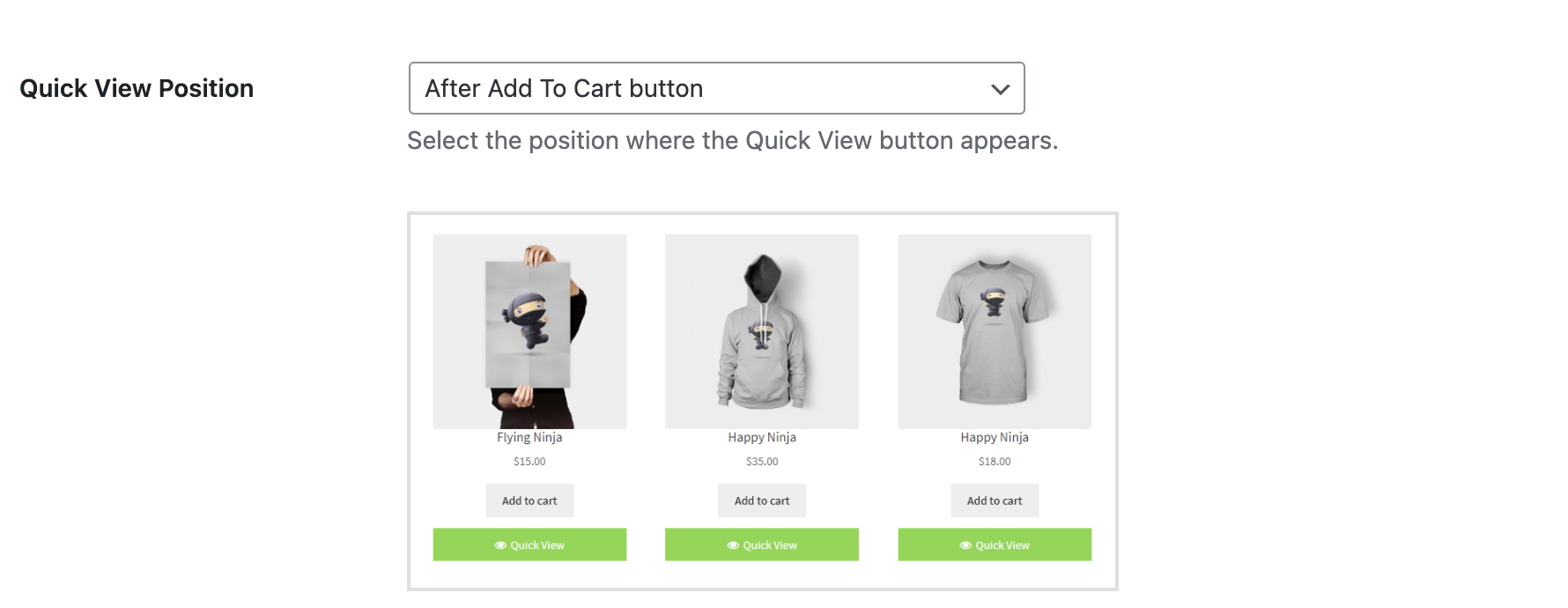
Choose what type and where to display the button

set the position of the Quick View button for accessing the quick view feature. Choose from various placement options. Such as next to the 'Add to Cart' button, after the product title, after the product price, or displaying it within the product image.
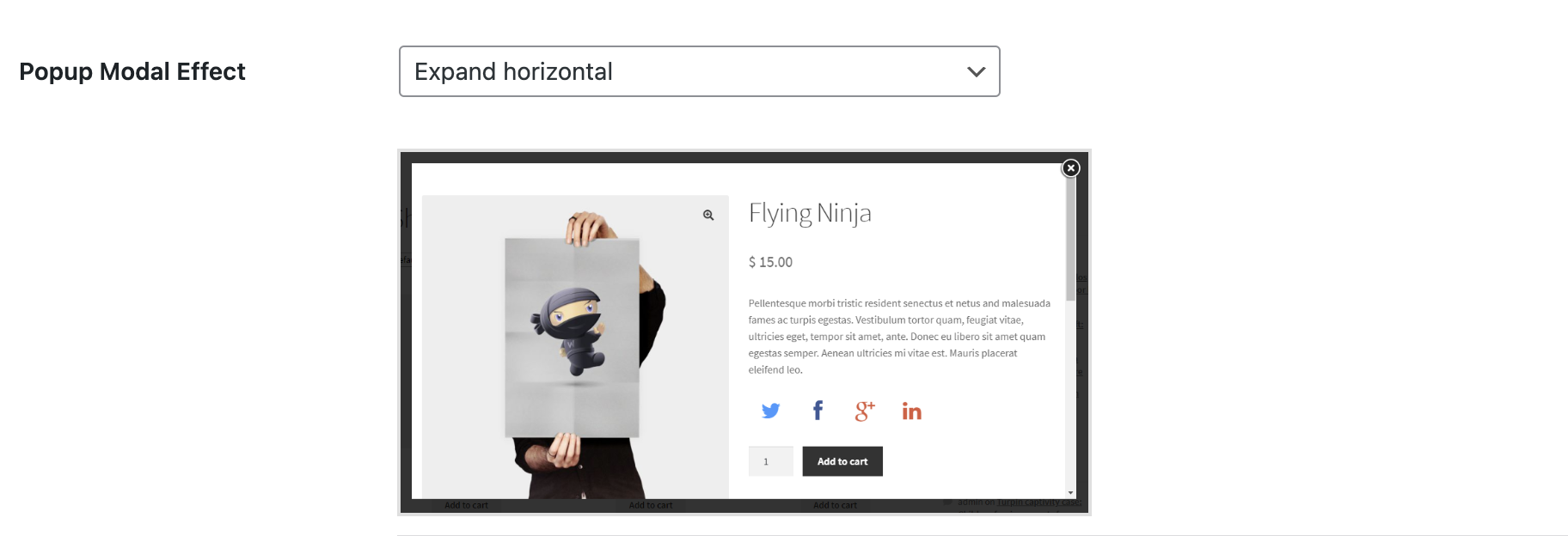
Popup Modal Effect Customizer

Set the Popup Modal Effect for the Quick View popup. Choose from various options such as Slide In from Bottom, Slide In from Top, Slide In from Left, Slide In from Right, Newspaper, Expand Horizontally, Expand Vertically, Zoom In, Zoom Out, and more.

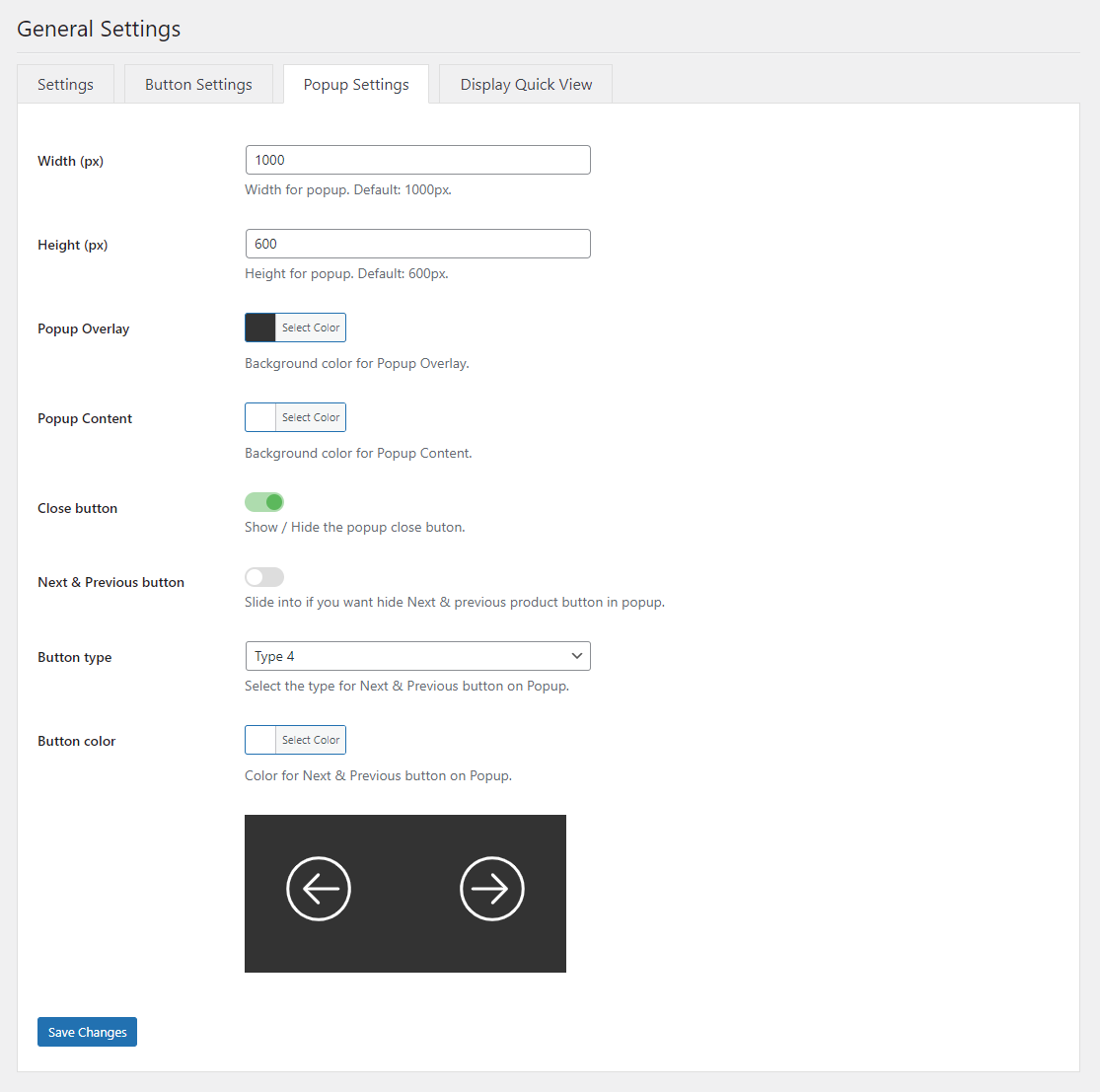
QuickView Popup Settings

Easily customize the Quick View popup by adjusting the width, height, background overlay, and background content. You can also choose to show or hide the close button, as well as enable Next and Previous product navigation buttons for seamless browsing between products, etc.
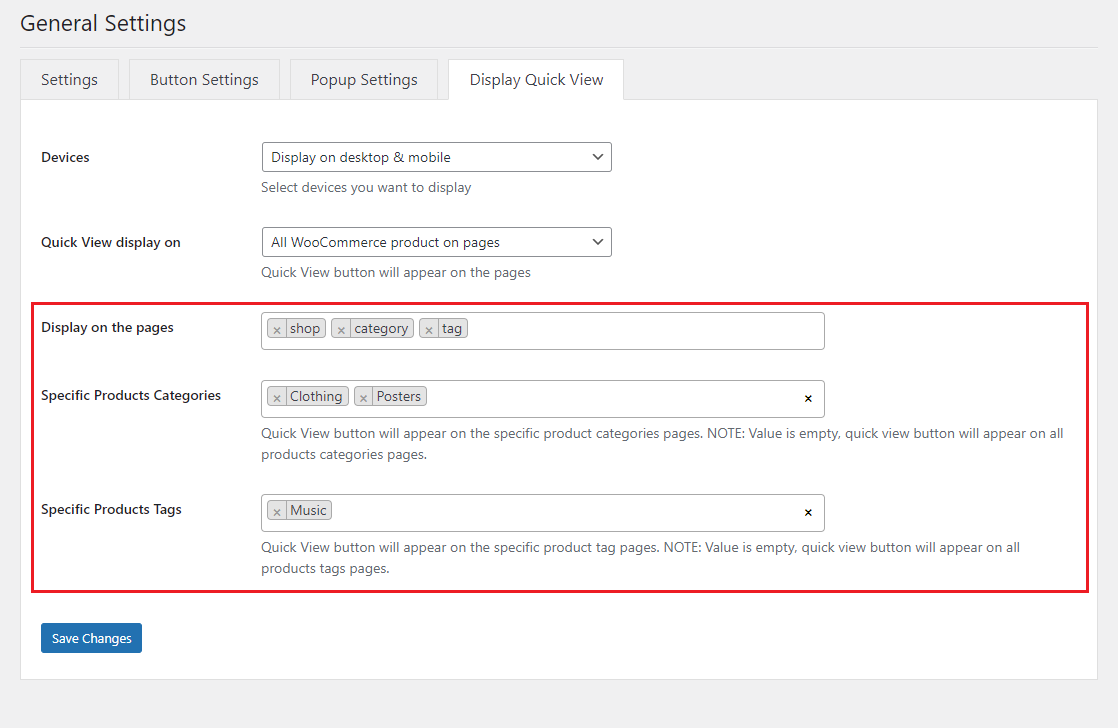
Quick View Popup Display Settings

  • Setting Quick View Display on Devices with 3 options: Display on desktop & mobile, Display on mobile only, Display on desktop only.
  • Setting Quick View display on pages:
    • All WooCommerce pages.
    • All WooCommerce product on pages: with this option you will easily specify specifically which pages display Quick View button.
      • Specific Products: Quick View button will appear on the specific product pages.
      • Specific Products Categories: Quick View button will appear on the specific product categories pages.
      • Specific Products Tags: Quick View button will appear on the specific product tag pages.

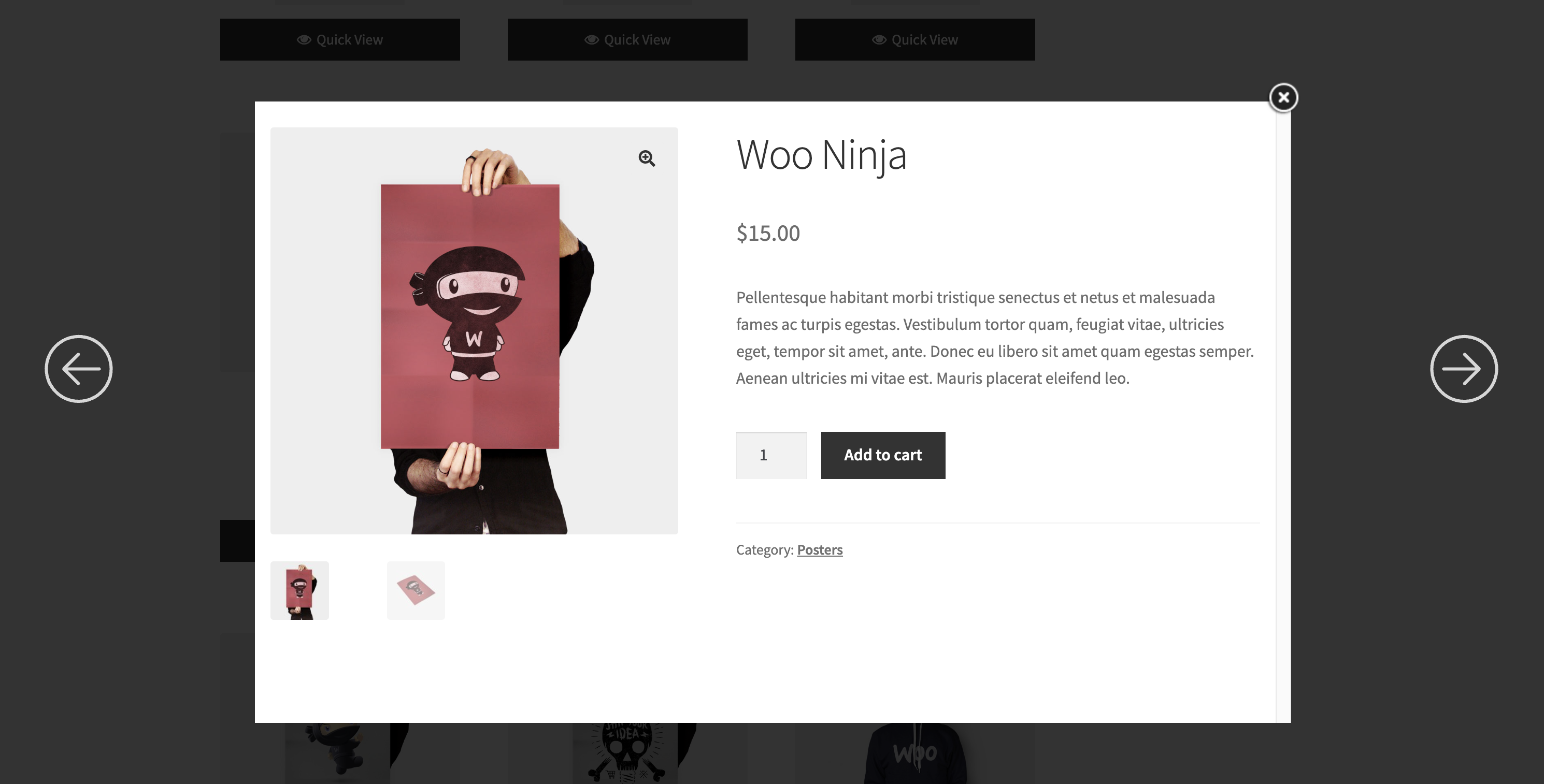
Browse products  within quick view

Browse products seamlessly within the Quick View popup, allowing customers to view detailed product information, images, and options without navigating away from the current page. This feature enhances the shopping experience by enabling quick and easy product exploration.
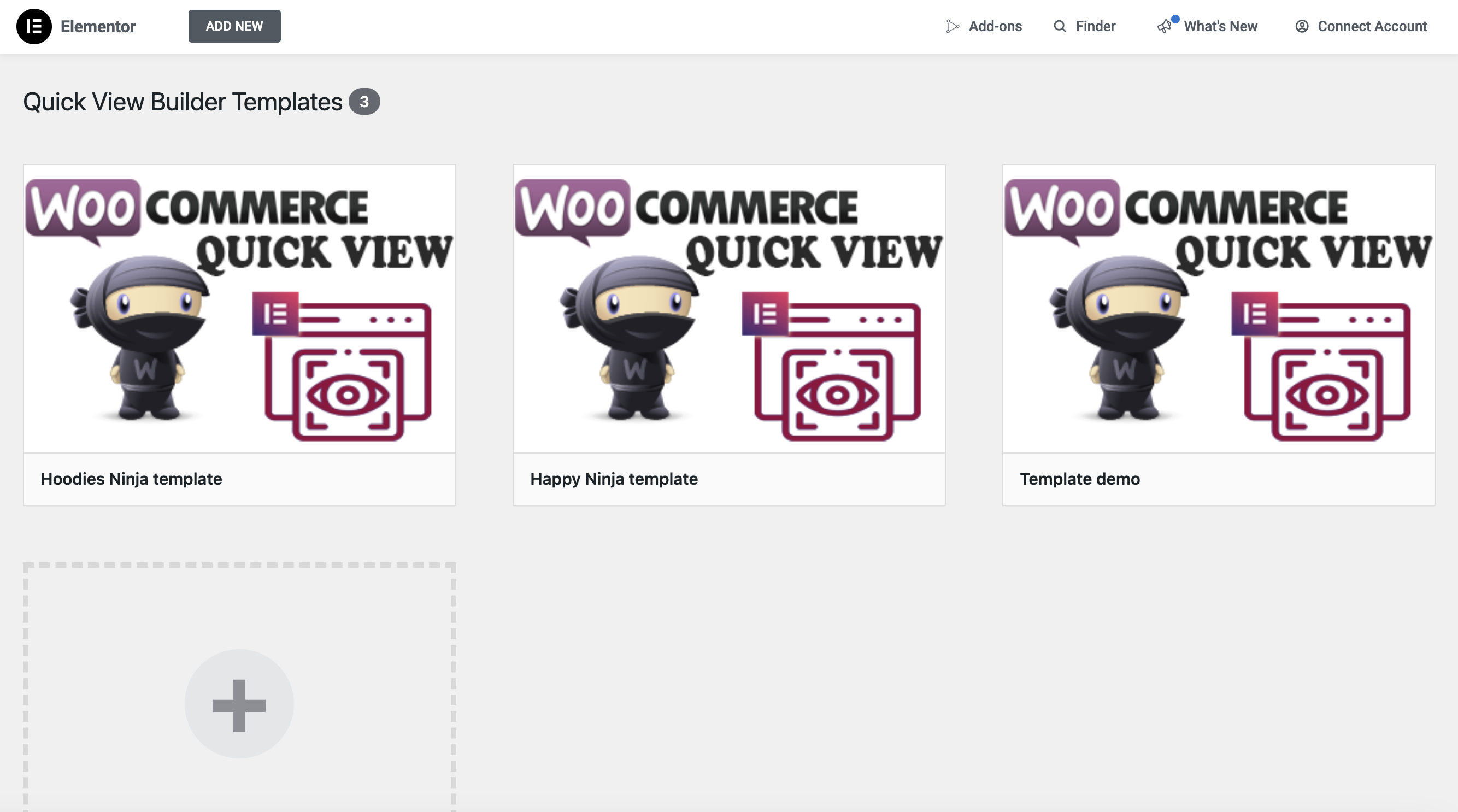
Manage Quick View Templates

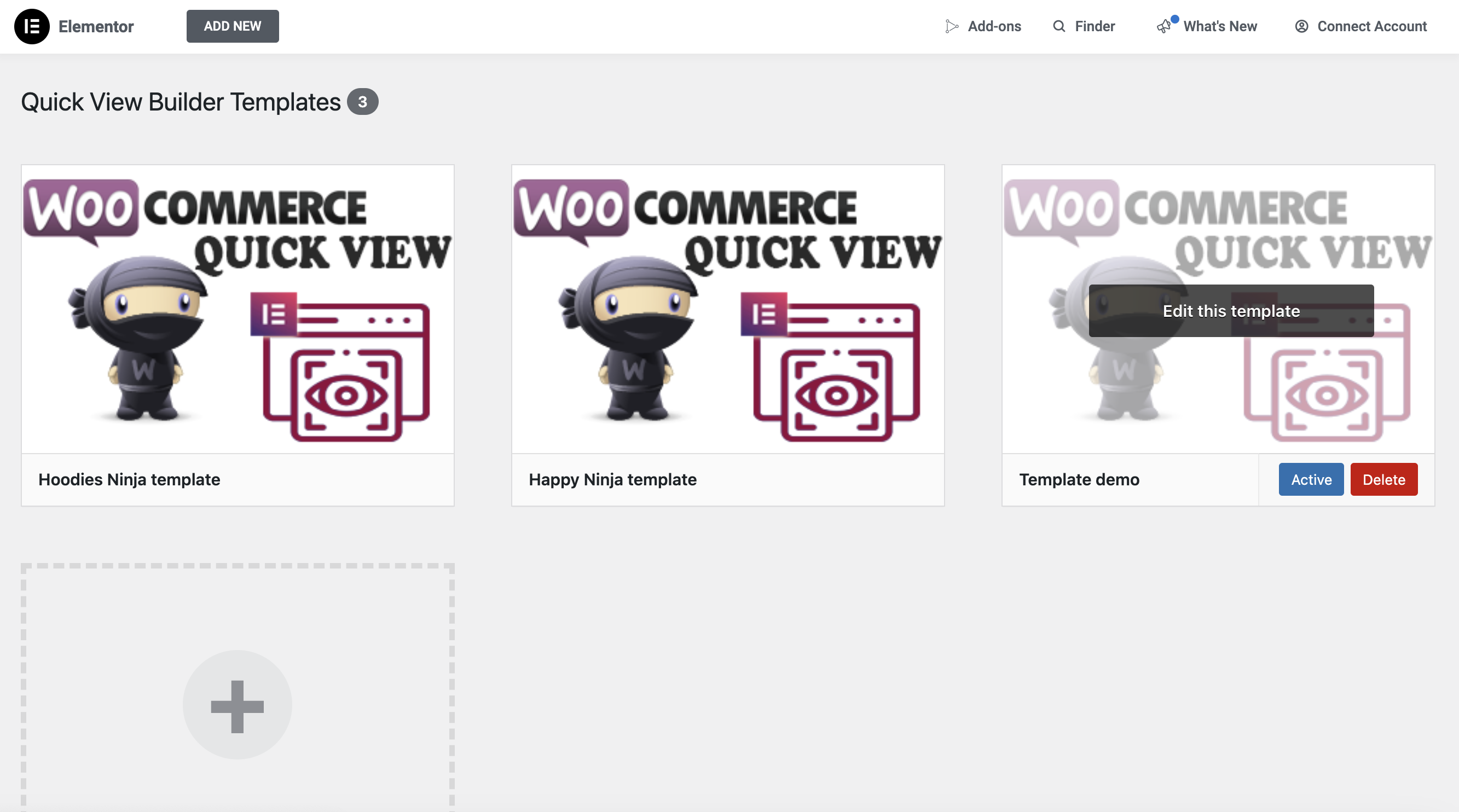
You can easily create custom templates for your WooCommerce Quick View popup, fully tailored to your unique design and branding. With these custom templates, you have complete control over the layout, typography, colors, product details, and overall style of the popup. This allows you to enhance the user experience, align the design with your website’s aesthetic, and make browsing products more intuitive. Customizing the Quick View popup helps improve engagement, streamline the shopping process, and create a consistent, branded experience across all customer touchpoints. Once created, all your custom Quick View templates will be centrally displayed here for easy access and management.

Activate the template for Quick View Product

Activate the template for Quick View Product

Activate a specific template for all Product pages

Activate a specific template for all Product pages

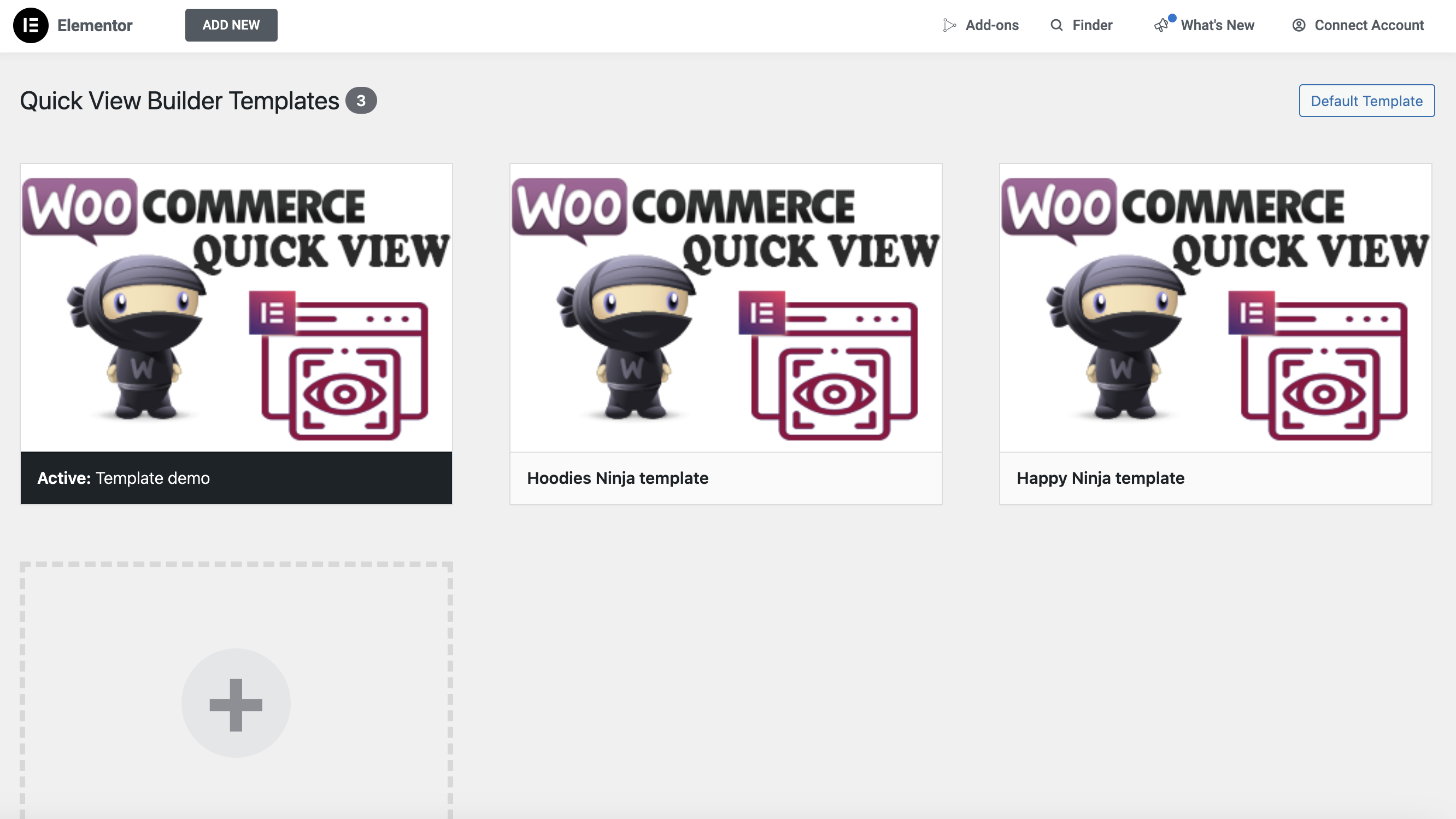
If you want to apply a template to all product pages, simply select the desired template and click the Activate button in the Quick View Builder >> Templates menu.

Each product page uses its own specific template

Each product page uses its own specific template

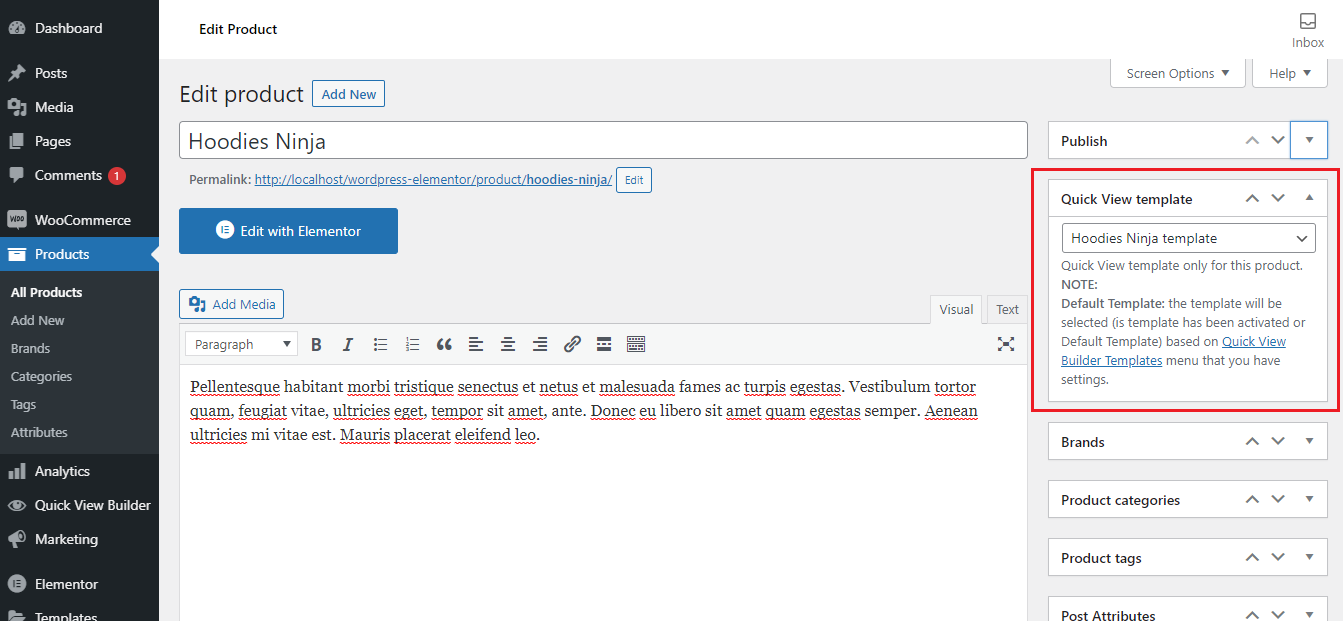
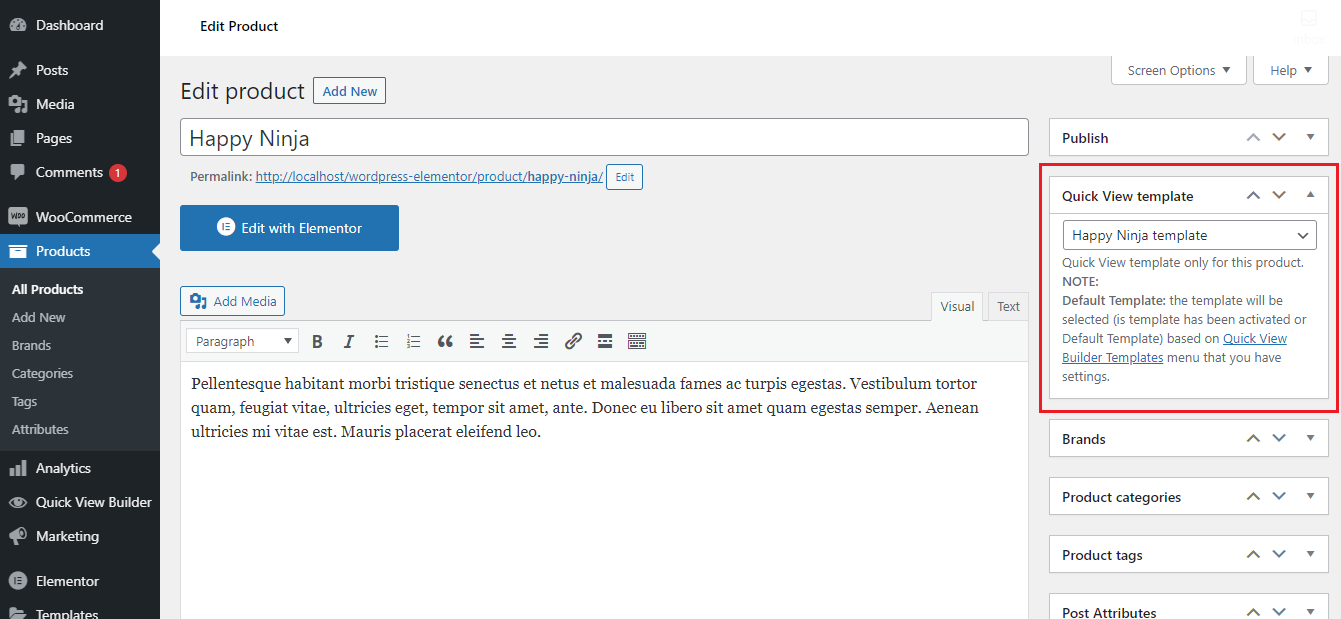
First, create the Quick View templates you want to use. To assign a specific template to a product page, go to the product’s edit page. From there, select the desired template using the Quick View template option.

How does it work?

How does it work?

If you have products like Happy Ninja, Hoodles Ninja, and others, and you want each to use a specific Quick View template, simply go to the edit page of the product. For example, assign the 'Happy Ninja Quick View' template to the Happy Ninja product, and the 'Hoodles Ninja Quick View' template to the Hoodles Ninja product by selecting the appropriate template under the 'Quick View template' option. For other products, the default Quick View template will be used unless a specific one is assigned.

Real-life results

Discover why our products are trusted by customers

Discover why our products are trusted by customers

Very useful plugin. Customer support is helpful and prompt too! :)

gabrieltoh

Super plugin, highly customizable, fast and fabulous customer support!

carbagsanbar

Great plugin, very fast assistance ... they managed to implement a feature for me in 5 min

pasqualericciardi

Great plugin for quick view. I even has Pop-up customization with Elementor that makes it highly customizable! no other plugin that I checked before has this feature. Nice!

diegoturn

Nice customer support, thanks for patience and problem solving.

andreynkb

It works perfectly as described and i never had such an outstanding support. Thanks Tony & team ❤️

nikolai_fuerst

The support of this team is great, they have helped me in a great way, advising me and fixing the compatibility problems that I had at some point, I totally recommend working with their plugins, I am more than grateful to them.

El soporte de este equipo es genial, me han ayudado de sobre manera, asesorándome y arreglando los problemas de compatibilidad que tuve en algún momento, recomiendo totalmente trabajar con sus plugin, estoy mas que agradecido con ellos

jaimevand

I had an issue with the plugin having a conflict with another plugin. Got in contact with the developer and they were on it. Shortly after, they found the issue and fixed the problem. Awesome customer support with their quick turnaround. :)

smartwebcreative

Video demo WooCommerce Quick View Builder for Elementor Page Builder plugin

Video demo WooCommerce Quick View Builder for Elementor Page Builder plugin

frequently asked questions

Our plugin is regularly updated to ensure compatibility with the latest version of WordPress. We conduct frequent tests and release updates to maintain optimal performance and security for our users. If you encounter any issues, please don’t hesitate to reach out for support! via Email address: teammysterious9x@gmail.com
Our plugin is updated regularly, usually every [specific timeframe], or as needed to maintain compatibility and improve functionality.
Yes, support is included with our plugin! Our team strives to respond to all inquiries during business days. We’re committed to helping you resolve any issues or questions as quickly as possible.
Our plugin has excellent reviews and ratings from users who appreciate its functionality and support. Feel free to check our plugin page for more details!
There are no extra costs for future updates or features. All updates are included with your purchase!
Please contact us to get help. We’re sure to resolve the glitch! To quickly get the answers, please attach screenshots of currently active plugins on your website.
Yes, you can test our plugin before purchasing! We offer a [mention if there's a free trial, demo version, or money-back guarantee] that allows you to explore its features and functionality. We encourage you to take advantage of this opportunity to see if it meets your needs.
Yes, our plugin adheres to the CodeCanyon refund policy. To ensure a refund, you must meet the conditions outlined here: https://codecanyon.net/page/customer_refund_policy.
Yes, our plugin is optimized for performance. We focus on speed and efficiency to ensure it runs smoothly without affecting your website's performance.
We have a policy for custom work based on customer requests for any features they want... and we charge $40 per hour of work.
Yes, our plugin has built-in security features and follows best practices to protect your website. We also provide regular updates to address potential vulnerabilities.

Related Wordpress Plugins

Related Wordpress Plugins

Powerful Plugins to Improve Your Website’s Performance.

Powerful Plugins to Improve Your Website’s Performance.
With this plugin, you can customize product archive pages to your style by simply dragging and dropping the interface without code with Elementor Page Builder.

With this plugin, you can customize product archive pages to your style by simply dragging and dropping the interface without code with Elementor Page Builder.

Go to Top